Upskilling Academy
Trusted by 3 million learners 24/7 online training Money back guarantee Fully accredited courses
Level 3 WordPress Thumbnail Lifetime Access
Sale

Level 3 WordPress

WordPress Overview The WordPress course provides a comprehensive, hands-on introduction to the world’s most popular content management system.…

Best Seller Limited Time Offer
Last Updated 17 Sep 2026 352 Enrolled English Flexible Schedule

Access to 1500+ Courses with free CPD Certificates for Only £99 Get Now

What you will learn

  • - Learn to create and manage professional websites without coding experience
  • - Gain hands-on experience with themes, plugins, and customization
  • - Improve your digital skills for personal projects or business needs
  • - Master essential tools for blogging, e-commerce, and portfolio sites
  • - Boost your employability in web development and digital marketing
  • - Understand key concepts of website security and maintenance
  • - Build confidence to troubleshoot and update your WordPress site independently

Description

WordPress

Overview

The WordPress course provides a comprehensive, hands-on introduction to the world’s most popular content management system. Whether you are new to web development or seeking to expand your digital skills, this course is designed to equip you with everything you need to build, manage, and customize websites in WordPress. Starting with installation and progressing to the implementation of advanced features, you’ll explore the practical knowledge and creative techniques required to create professional-quality websites from scratch without needing to code.

Students will benefit from expert-led lectures, detailed walkthroughs, practical assignments, interactive workshops, and real-world project work, all structured to ensure that upon completion, you are ready to publish and manage your own site — or launch a career building WordPress sites for others.

Description

WordPress is the foundation of more than 40% of all websites on the internet, from personal blogs to company portals, e-commerce stores, portfolios, and everything in between. This course demystifies WordPress by starting with the essentials—domain registration, web hosting, and installing WordPress—before guiding you through a logical progression of skill development. You’ll learn to master the intuitive WordPress dashboard, publish and organize blog posts and pages, and use themes to style your site.

Key modules include:

  • Getting Started: Setting up domains, hosting, and installing WordPress.
  • Building Blocks: Navigating the admin dashboard, configuring basic settings, and understanding key concepts like posts, pages, categories, and tags.
  • Themes and Customization: Installing themes, using the Customizer, and making design choices for brand consistency and user experience.
  • Plugins: Selecting and configuring plugins to extend WordPress’s core functionality, including SEO, security, contact forms, performance, and more.
  • Content Creation: Creating, editing, and managing multimedia-rich posts and pages using the Gutenberg block editor.
  • Site Management: Managing users, handling backups, updating software, and implementing vital security best practices.
  • Advanced Topics: Introduction to WooCommerce for e-commerce, managing custom post types, and basic troubleshooting.

By the end of the course, students will have built a complete, fully functional website and have the skills necessary to continue learning or move into more complex development tasks — such as custom theme and plugin creation.

Career Path

Knowledge in WordPress opens a variety of career possibilities in the fast-growing digital and web development landscape. Here are potential paths for graduates:

  • Web Designer / WordPress Designer: Use pre-made themes and page builders to create visually stunning, user-friendly websites for clients or employers.
  • WordPress Developer: Customize sites further by developing themes or plugins, or by extending existing ones with code.
  • Content Manager: Use WordPress skills to oversee digital content strategy, quality, and publishing schedules for organizations or individuals.
  • Freelancer / Consultant: Offer WordPress site setup, customization, and management as services to small businesses, entrepreneurs, and bloggers.
  • E-Commerce Specialist: Use WooCommerce to build and manage online storefronts for businesses looking to sell products or services online.
  • Digital Marketer: Implement and analyze campaign performance using WordPress-integrated SEO, analytics, and marketing tools.

WordPress skills are always in demand. From startups to established enterprises, NGOs, educational institutions, and freelancers, virtually every sector needs web design and content management talent familiar with WordPress.

Who Is This Course For?

This course welcomes:

  • Beginners wishing to create their own blogs, portfolios, or business websites without a deep technical background.
  • Entrepreneurs and small business owners wanting in-house control over their company website and online presence.
  • Designers and marketers seeking to add WordPress to their digital toolbox to enhance job prospects or client offerings.
  • Students and professionals in IT, communications, or digital media looking to shift into web development, design, or digital strategy roles.
  • Anyone interested in mastering content creation, site management, or lightweight e-commerce setup using WordPress.

No prior coding or web design experience is required. The content is structured so even complete beginners feel comfortable, while more experienced students can fast-track through foundational topics toward advanced customization.

Requirements

To enroll and succeed in this WordPress course, you will need the following:

  • A laptop or desktop computer with a reliable internet connection.
  • Basic computer literacy (comfort with email, file handling, and web browsing).
  • A willingness to learn and experiment with new digital tools and platforms.
  • No prior website-building or programming experience is required—everything essential will be covered from scratch.
  • Optional: If you wish to publish your site live (outside of local environments or demos), you should budget for a domain name and web hosting (guidance will be provided during the course).

All essential software is free and open-source; detailed setup instructions will be included. Supplementary resources (articles, video guides, sample projects) will be provided to reinforce your learning and support ongoing exploration after the course ends.

Course Curriculum

Course Content

Module 01_ Introduction to WordPress

  • Lesson 01_ Introduction to WordPress

Module 02_ Step-by-step instructions for installing WordPress

Module 03_ WordPress settings overall

Module 04_ Walkthrough WordPress All Categories_2

Module 05_ WordPress Posts Management

Module 06_ WordPress Media Controlling

Module 07_ WordPress Tags and Links

Module 08_ WordPress Comments and Using Plugins

Module 09_ Managing Users In WordPress

Module 10_ WordPress Appearances and Customizations

Module 11_ WordPress Advanced

Who should take the course

  • - Beginners wanting to build their first website
  • - Small business owners looking to create or update a website
  • - Freelancers seeking new web development skills
  • - Bloggers who want to manage their own content
  • - Marketers needing to learn website editing basics
  • - Professionals aiming to customize WordPress sites
  • - Students interested in web design and development

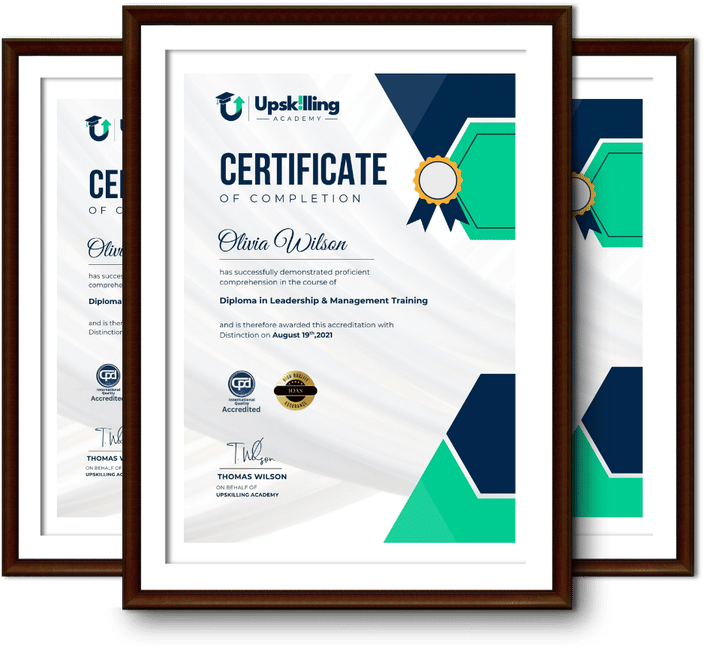
Certificate for Success at Every Step

  • No expiry date. You can keep and use the certificate forever.
  • Recognised across various UK industries.
  • Increases your chances of employability.
  • Boosts your professional credibility.
  • Shows you're up to date with industry knowledge.
Framed Upskilling Academy certificates of completion

Course Reviews

Christine Ferguson

My experience with you was fantastic and easy to navigate. I'm looking forward to taking the course.
Jesse Harding

Provided highly informative and helpful responses, with quick and efficient replies.

Gary Schwartz

The course selection is broad, engaging, easy to follow, and offers a good challenge.

Bailey Burrows

Excellent course with user-friendly website navigation, making it easy to follow. I'm really enjoying the experience.

Benjamin Moreno

Great course with valuable information. Easy to follow, and I appreciated the flexibility to work at my own pace.

Quality Accreditation

  • incensu Registered Education Supplier
  • Association of Healthcare Trainers member
  • The CPD Group approved provider #790985
  • Disability Confident Committed

FAQ for Level 3 WordPress

How do I access my course?

Once you complete your purchase, you’ll receive access to your course through your Upskilling Academy account. You can log in and access your learning materials online at any time.

How long do I have access to the course?

Your access period depends on the course and the package you purchase. Please check the course details or your order information for the applicable access period.

Can I study at my own pace?

Yes. Upskilling Academy courses are designed to provide flexible online learning, allowing you to study at a pace that suits your schedule.

Will I receive a certificate?

Certificate availability varies by course. Where a certificate is included, you’ll receive information about the requirements and how to obtain it within the course or upon completion.

Are the courses suitable for beginners?

Many courses are suitable for beginners, while others may assume some previous knowledge. Please review the individual course description for information about the recommended level and prerequisites.