Christine Ferguson
My experience with you was fantastic and easy to navigate. I'm looking forward to taking the course.
 Lifetime Access
Microsoft Projects Overview The Microsoft Projects course is a comprehensive, hands-on program meticulously designed to provide participants with…
Access to 1500+ Courses with free CPD Certificates for Only £99 Get Now
The Microsoft Projects course is a comprehensive, hands-on program meticulously designed to provide participants with mastery over Microsoft Project, one of the most popular and robust project management tools used in the modern workplace. This course equips learners with the knowledge and practical skills required to plan, execute, monitor, and close projects efficiently regardless of size or complexity. Whether you’re new to project management or seeking to sharpen your skills, this intensive course delivers the expertise needed to stay relevant and competitive in today’s fast-paced professional environment.
The course covers both foundational and advanced capabilities of Microsoft Project, including scheduling, resource allocation, budgeting, reporting, and project tracking. Through real-world scenarios and practical assignments, participants will learn not just the “how,” but also the “why” behind effective project management practices leveraging Microsoft Project.
Microsoft Project is a powerful application that helps project managers and teams organize tasks, manage resources, and deliver projects on time and within budget. This course starts with an introduction to project management principles and how MS Project supports these methodologies. Participants then progress through increasingly complex functionalities, from crafting a simple project timeline to managing multi-phase projects with interdependencies and constrained resources.
Key topics and features covered include:
The curriculum is supplemented with case studies, interactive exercises, and project simulations that reflect challenges faced in diverse industries. By the end of the course, learners will have created several project plans, responded to dynamic changes, and produced professional reports suitable for presentation to upper management or clients.
Mastering Microsoft Project opens up lucrative opportunities across a broad range of industries including IT, construction, healthcare, marketing, consulting, and engineering. Upon completing this course, participants will be prepared for a variety of roles, such as:
Additionally, proficiency in Microsoft Project is a sought-after skill for professionals preparing for certifications such as PMP (Project Management Professional) or CAPM (Certified Associate in Project Management). Many organizations specifically mention MS Project expertise among their requirements for senior project management roles and strategic planning positions. This course will dramatically enhance your capabilities, confidence, and employability within the project management sphere.
This course welcomes participants from diverse backgrounds – no prior project management experience is required. Whether you’re working in a corporate, government, educational, or nonprofit context, the skills gained will empower you to drive systematic project success.
All learning resources, templates, and case studies will be provided as part of the course. Participants will complete projects and assignments that simulate authentic scenarios, ensuring theoretical knowledge becomes practical expertise. By the end of this course, you’ll be ready to deploy Microsoft Project confidently in real-world projects, setting yourself apart as a versatile and effective project professional.
My experience with you was fantastic and easy to navigate. I'm looking forward to taking the course.
Provided highly informative and helpful responses, with quick and efficient replies.
The course selection is broad, engaging, easy to follow, and offers a good challenge.
Excellent course with user-friendly website navigation, making it easy to follow. I'm really enjoying the experience.
Great course with valuable information. Easy to follow, and I appreciated the flexibility to work at my own pace.



Once you complete your purchase, you’ll receive access to your course through your Upskilling Academy account. You can log in and access your learning materials online at any time.
Your access period depends on the course and the package you purchase. Please check the course details or your order information for the applicable access period.
Yes. Upskilling Academy courses are designed to provide flexible online learning, allowing you to study at a pace that suits your schedule.
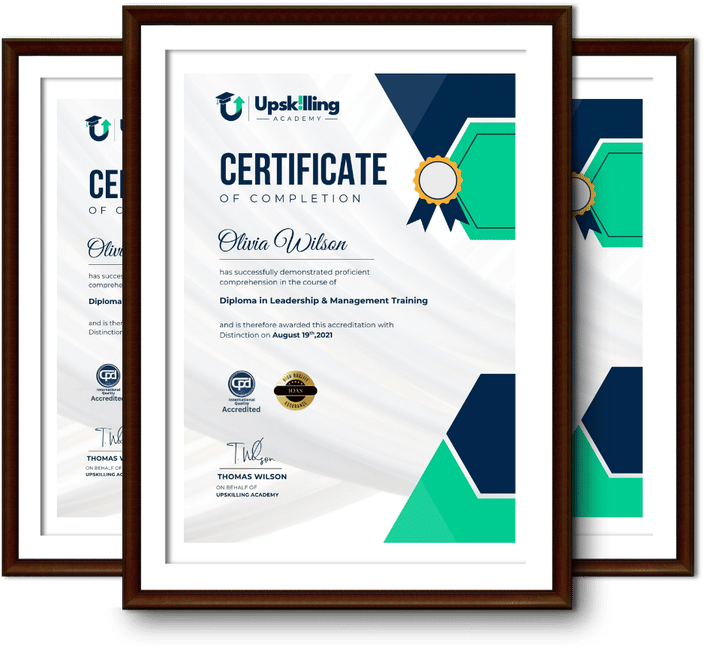
Certificate availability varies by course. Where a certificate is included, you’ll receive information about the requirements and how to obtain it within the course or upon completion.
Many courses are suitable for beginners, while others may assume some previous knowledge. Please review the individual course description for information about the recommended level and prerequisites.