Upskilling Academy
Trusted by 3 million learners 24/7 online training Money back guarantee Fully accredited courses
Microsoft PowerPoint Level 3 Course Thumbnail Lifetime Access
Sale

Microsoft PowerPoint Level 3 Course

Microsoft PowerPoint Overview Microsoft PowerPoint stands as one of the most versatile and widely used presentation software tools…

Best Seller Limited Time Offer
Last Updated 17 Sep 2026 352 Enrolled English Flexible Schedule

Access to 1500+ Courses with free CPD Certificates for Only £99 Get Now

What you will learn

  • - Master the essential features and tools of Microsoft PowerPoint for professional presentations
  • - Save time by learning shortcuts and best practices for slide creation and design
  • - Enhance your communication skills with clear, engaging, and visually appealing slides
  • - Boost your confidence when presenting to colleagues, clients, or large audiences
  • - Discover tips for effective storytelling and data visualization using PowerPoint
  • - Learn how to collaborate and share presentations seamlessly with others
  • - Increase your value in the workplace with in-demand digital presentation skills

Description

Microsoft PowerPoint

Overview

Microsoft PowerPoint stands as one of the most versatile and widely used presentation software tools across the globe. The ability to communicate ideas visually, engage audiences, and deliver impactful presentations is crucial in today’s professional, academic, and personal environments. This comprehensive course has been crafted to guide learners from the foundational elements of PowerPoint to advanced design and animation techniques. Whether you’re preparing a business pitch, teaching a class, or sharing ideas with friends, this course will empower you to harness the full potential of Microsoft PowerPoint and create professional-quality presentations with confidence.

Description

This Microsoft PowerPoint course offers a step-by-step journey through all aspects of the application, tailored to suit beginners and existing users seeking to enhance their skills. The curriculum starts by introducing the PowerPoint interface and the basic principles of slide creation, structuring, and formatting. As you progress, you will delve into the customization of slide layouts, text formatting, and the effective use of themes and templates to build visually appealing presentations.

Throughout the course, you will learn to incorporate multimedia elements such as images, audio, and video clips, as well as crafting engaging charts, graphs, and SmartArt diagrams to illustrate your points clearly. Advanced sections cover the creation and management of transitions and animations, designing custom templates, and employing advanced presentation tools for seamless delivery—including the use of Presenter View, slide show controls, and rehearsal options.

You will also explore collaboration features for team projects, integrating Microsoft PowerPoint with other Office applications, applying accessibility best practices, and exporting presentations to various formats for different audiences. Real-world case studies and practical exercises are interwoven throughout to ensure you can confidently create, edit, and present with sophistication and clarity.

  • Introduction to the PowerPoint interface and navigation
  • Creating, structuring, and formatting slides
  • Incorporating visual and multimedia elements
  • Utilizing templates, themes, and SmartArt
  • Advanced animation, transitions, and timing controls
  • Collaboration, sharing, and real-time co-authoring
  • Accessibility, export options, and integration with other Microsoft Office tools
  • Best practices for impactful presentations

Career Path

Proficiency in Microsoft PowerPoint is an invaluable skill across a broad spectrum of sectors and professions. Mastery of this software enables professionals to communicate ideas more effectively, influence stakeholders, and contribute to the success of any organization. Completion of this course opens up the following career paths and opportunities:

  • Business Professionals & Executives: Create persuasive corporate presentations, sales decks, business reports, and pitch materials.
  • Educators & Trainers: Design engaging classroom lessons, e-learning modules, and workshop materials for clear and memorable instruction.
  • Marketing & Communications Specialists: Develop brand storytelling decks, campaign summaries, and client presentations that stand out.
  • Public Speakers & Event Organizers: Organize keynote presentations, conference materials, and event proposals with confidence.
  • Project Managers: Communicate findings, project updates, and results to leadership and team members with clarity.
  • Students & Academics: Deliver thesis presentations, research reports, and collaborative work that communicates complex ideas effectively.
  • Designers & Content Creators: Incorporate advanced PowerPoint features into a broader suite of design and communication skills.

In addition to standalone presentation roles, PowerPoint expertise complements and enhances virtually every knowledge worker’s resume, making you a go-to expert for presentation projects within teams and organizations.

Who Is This Course For?

This course has been designed to cater to a wide range of learners and professionals, regardless of their prior PowerPoint experience. You will benefit from this course if you are:

  • A complete beginner looking to develop foundational PowerPoint skills
  • A current user wanting to learn advanced design, animation, and collaboration tools
  • A business professional or entrepreneur seeking to improve your business communication
  • An educator or trainer wanting to create engaging lessons and workshop materials
  • A student who needs to deliver impactful presentations and reports
  • Anyone seeking to integrate PowerPoint with Microsoft Office or other productivity tools
  • Anyone interested in developing digital communication and storytelling skills

Whether your goal is to boost your professional effectiveness, enhance your academic performance, or express your ideas creatively, this course accommodates all levels of expertise and backgrounds.

Requirements

To make the most of this Microsoft PowerPoint course, participants should have:

  • Access to a computer (Windows or macOS) with Microsoft PowerPoint installed (ideally PowerPoint 2016 or newer; Office 365 users are also fully supported).
  • Basic computer literacy, including comfort with file saving, opening, copying, and navigating folders.
  • No prior experience with PowerPoint is required (the course covers both beginner and advanced topics).
  • An eagerness to learn and experiment with new tools and design concepts.
  • Optional: Headphones, microphone, or webcam are helpful for sections covering multimedia integration but are not mandatory.

All course materials, sample files, and additional resources will be provided. Learners are encouraged to follow along with practical exercises for optimal understanding and skill development.

Course Curriculum

Course Content

Module 1 Introduction to Microsoft PowerPoint

  • Lesson 1 Introduction to Microsoft PowerPoint

Module 2 Setting up and Managing presentations

Module 3 Creating and Designing slides

Module 4 Animations and Effects

Module 5 Using tables, charts and SmartArt

Module 6 Finalizing Presentations

Who should take the course

  • - Students needing to create presentations for school or college
  • - Business professionals preparing slides for meetings or pitches
  • - Teachers and educators designing educational materials
  • - Job seekers wanting to improve their computer skills
  • - Nonprofits or community group members presenting information
  • - Entrepreneurs pitching business ideas to investors
  • - Anyone new to Microsoft PowerPoint wanting to learn from scratch

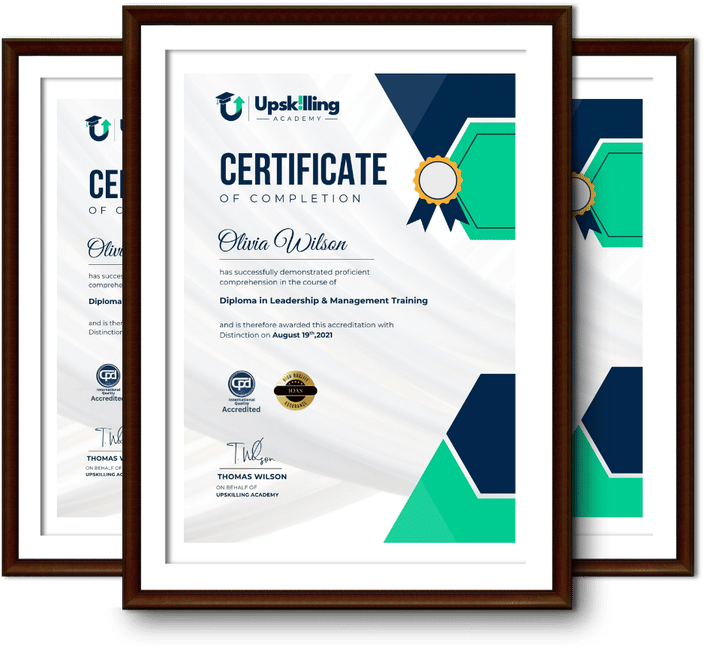
Certificate for Success at Every Step

  • No expiry date. You can keep and use the certificate forever.
  • Recognised across various UK industries.
  • Increases your chances of employability.
  • Boosts your professional credibility.
  • Shows you're up to date with industry knowledge.
Framed Upskilling Academy certificates of completion

Course Reviews

Christine Ferguson

My experience with you was fantastic and easy to navigate. I'm looking forward to taking the course.

Jesse Harding

Provided highly informative and helpful responses, with quick and efficient replies.

Gary Schwartz

The course selection is broad, engaging, easy to follow, and offers a good challenge.

Bailey Burrows

Excellent course with user-friendly website navigation, making it easy to follow. I'm really enjoying the experience.

Benjamin Moreno

Great course with valuable information. Easy to follow, and I appreciated the flexibility to work at my own pace.

Quality Accreditation

  • incensu Registered Education Supplier
  • Association of Healthcare Trainers member
  • The CPD Group approved provider #790985
  • Disability Confident Committed

FAQ for Microsoft PowerPoint Level 3 Course

How do I access my course?

Once you complete your purchase, you’ll receive access to your course through your Upskilling Academy account. You can log in and access your learning materials online at any time.

How long do I have access to the course?

Your access period depends on the course and the package you purchase. Please check the course details or your order information for the applicable access period.

Can I study at my own pace?

Yes. Upskilling Academy courses are designed to provide flexible online learning, allowing you to study at a pace that suits your schedule.

Will I receive a certificate?

Certificate availability varies by course. Where a certificate is included, you’ll receive information about the requirements and how to obtain it within the course or upon completion.

Are the courses suitable for beginners?

Many courses are suitable for beginners, while others may assume some previous knowledge. Please review the individual course description for information about the recommended level and prerequisites.