Upskilling Academy
Trusted by 3 million learners 24/7 online training Money back guarantee Fully accredited courses
Microsoft Access Level 3 Course Thumbnail Lifetime Access
Sale

Microsoft Access Level 3 Course

Microsoft Access Overview The Microsoft Access course is a comprehensive, hands-on learning journey designed to equip students, professionals,…

Best Seller Limited Time Offer
Last Updated 17 Sep 2026 352 Enrolled English Flexible Schedule

Access to 1500+ Courses with free CPD Certificates for Only £99 Get Now

What you will learn

  • - Learn how to efficiently create, organize, and manage databases with Microsoft Access
  • - Gain hands-on experience designing user-friendly forms and data entry interfaces
  • - Develop skills to automate repetitive tasks using queries, macros, and reports
  • - Improve your ability to analyze and visualize data for better decision-making
  • - Enhance your productivity by effectively searching, sorting, and filtering data
  • - Acquire technical expertise valued by employers across a wide range of industries
  • - Prepare for advanced database integration with other Microsoft Office applications

Description

Microsoft Access

Overview

The Microsoft Access course is a comprehensive, hands-on learning journey designed to equip students, professionals, and data enthusiasts with the foundational skills and advanced know-how needed to effectively create, manage, and analyze databases using Microsoft’s renowned database management system—Access. Whether you are a complete beginner or looking to refine your database design capabilities, this course presents a rich blend of practical examples and real-world scenarios to help you unlock the power of desktop relational databases.

Covering everything from the fundamentals of tables, queries, and forms, to advanced reporting, automation with macros, and integration with other Microsoft Office applications, this course transforms participants into proficient database managers. Throughout the course, learners will benefit from interactive modules, project-based assignments, and instructor-led walkthroughs to build confidence and mastery in Access.

Description

Microsoft Access is a powerful yet approachable database application that sits at the intersection of usability and efficiency within the Microsoft Office suite. This course deeply examines the essentials of successful database design, management, and automation using Access. Starting with an introduction to the core concepts—such as understanding relational databases and the difference between Access and Excel—learners transition quickly from theoretical knowledge to hands-on practice.

Key course modules include:

  • Getting Started with Access: Understanding the interface, navigation, and core concepts related to tables, records, and databases.
  • Database Design Fundamentals: Principles of organizing data, primary and foreign keys, normalization, and relationships between tables.
  • Managing Data with Tables and Forms: How to create, modify, and populate tables and use forms for streamlined data entry, validation, and display.
  • Querying Data Efficiently: Crafting simple to complex queries using SQL and Access Query Design View to filter, aggregate, and analyze data accurately.
  • Generating Reports: Creating meaningful reports with grouping, sorting, and dynamic formatting to present your data professionally.
  • Automation and Productivity: Utilizing macros and simple VBA scripting to automate routine database tasks and streamline workflows.
  • Integration: Strategies for synchronizing Access with other Microsoft applications (like Excel, Word, and Outlook) and exporting data for broader use.

Through video tutorials, practical exercises, and a capstone database project, the course ensures you finish with the skills to build efficient databases from the ground up, manage large data sets, and produce insightful reports. The instructor’s real-world insights will help you avoid common pitfalls in Access database design and apply best practices in a variety of business and organizational contexts.

Career Path

Mastering Microsoft Access opens the door to a wide variety of roles and career pathways across industries that rely on effective data management and reporting. Upon completion, participants will be prepared for the following types of opportunities:

  • Database Administrator: Oversee, maintain, and optimize data storage and retrieval for small- to medium-sized organizations using Access.
  • Data Analyst: Leverage Access for data cleaning, transformation, and analysis, bridging the gap between raw data and actionable insights.
  • Office or Administrative Manager: Design custom solutions for internal data, process tracking, and reporting needs.
  • Business Intelligence Specialist: Integrate Access with other business tools for effective reporting and data-driven decision-making.
  • IT Support Specialist: Provide knowledge and training support to teams and departments working with Access databases.
  • Freelance Database Designer: Design, implement, and troubleshoot Access databases for small businesses, non-profits, and startups.

This course also forms a solid foundation for further career progression into fields such as Data Science, Full-Stack Development, or larger-scale Database Administration (SQL Server, Oracle, MySQL), as it teaches key data management concepts applicable across platforms.

Who Is This Course For?

The Microsoft Access course is intentionally crafted to meet the learning needs of a diverse audience, regardless of prior programming or data experience. You might find this course particularly valuable if you are:

  • An absolute beginner seeking to understand databases and build your first Access applications.
  • An office professional or administrative assistant looking to optimize business processes through automated data management.
  • A data analyst or business intelligence professional needing to handle, summarize, and report on organizational data efficiently.
  • A student in business, IT, or related fields wishing to add practical database management to your résumé.
  • A small business owner eager to create custom solutions for inventory, customer records, or order tracking.
  • A tech support or IT staff member who must maintain or troubleshoot Access databases.

No matter your role, if you work with data and want to improve your efficiency, accuracy, and reporting capabilities, this course is for you.

Requirements

There are minimal prerequisites to enroll in the Microsoft Access course, making it accessible for most learners. We recommend:

  • A PC or laptop with Microsoft Access (2016 or later) installed for hands-on practice and assignments. Office 365 subscribers will also have suitable Access versions.
  • Basic familiarity with Microsoft Windows (navigating, file saving, copying, and pasting).
  • Basic knowledge of spreadsheets (such as Excel) is helpful but not mandatory.
  • Willingness to engage in practical exercises and a curiosity to learn new problem-solving skills.

All course materials, including sample files, exercises, and supplementary readings, will be provided. If you have a passion for organizing, analyzing, or improving data processes, you already have the most important requirement—the drive to learn!

Course Curriculum

Course Content

Module 1 Setting up Microsoft Access

  • Lesson 1 Setting up Microsoft Access

Module 2 Relationships and Keys of a Database

Module 3 Navigation of a Database

Module 4 Manage Database Data

Module 5 Create and Manage Tables

Module 6 Queries

Who should take the course

  • - Beginners who want to learn database management
  • - Office workers looking to improve data organization skills
  • - Small business owners needing to track and manage information
  • - Students studying IT, computer science, or business
  • - Professionals needing to automate reports and data tasks
  • - Anyone interested in learning Microsoft Access for career development
  • - Administrative staff aiming to enhance productivity with databases

Certificate for Success at Every Step

  • No expiry date. You can keep and use the certificate forever.
  • Recognised across various UK industries.
  • Increases your chances of employability.
  • Boosts your professional credibility.
  • Shows you're up to date with industry knowledge.
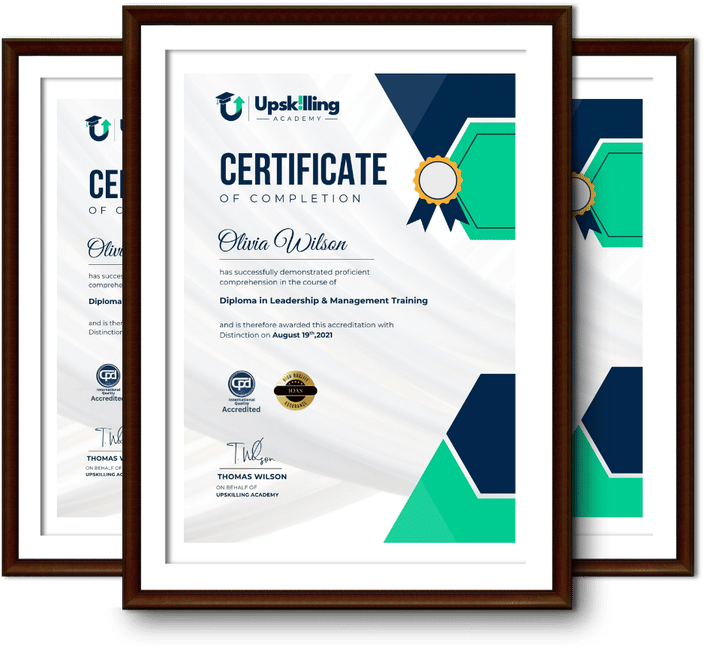
Framed Upskilling Academy certificates of completion

Course Reviews

Christine Ferguson

My experience with you was fantastic and easy to navigate. I'm looking forward to taking the course.

Jesse Harding

Provided highly informative and helpful responses, with quick and efficient replies.

Gary Schwartz

The course selection is broad, engaging, easy to follow, and offers a good challenge.

Bailey Burrows

Excellent course with user-friendly website navigation, making it easy to follow. I'm really enjoying the experience.

Benjamin Moreno

Great course with valuable information. Easy to follow, and I appreciated the flexibility to work at my own pace.

Quality Accreditation

  • incensu Registered Education Supplier
  • Association of Healthcare Trainers member
  • The CPD Group approved provider #790985
  • Disability Confident Committed

FAQ for Microsoft Access Level 3 Course

How do I access my course?

Once you complete your purchase, you’ll receive access to your course through your Upskilling Academy account. You can log in and access your learning materials online at any time.

How long do I have access to the course?

Your access period depends on the course and the package you purchase. Please check the course details or your order information for the applicable access period.

Can I study at my own pace?

Yes. Upskilling Academy courses are designed to provide flexible online learning, allowing you to study at a pace that suits your schedule.

Will I receive a certificate?

Certificate availability varies by course. Where a certificate is included, you’ll receive information about the requirements and how to obtain it within the course or upon completion.

Are the courses suitable for beginners?

Many courses are suitable for beginners, while others may assume some previous knowledge. Please review the individual course description for information about the recommended level and prerequisites.