Upskilling Academy
Trusted by 3 million learners 24/7 online training Money back guarantee Fully accredited courses
Level 3 Microsoft 365 Training Thumbnail Lifetime Access
Sale

Level 3 Microsoft 365 Training

Microsoft 365 Training Overview The Microsoft 365 Training course is a comprehensive program meticulously designed to equip learners…

Best Seller Limited Time Offer
Last Updated 17 Sep 2026 352 Enrolled English Flexible Schedule

Access to 1500+ Courses with free CPD Certificates for Only £99 Get Now

What you will learn

  • - Gain hands-on experience with essential Microsoft 365 apps like Word, Excel, PowerPoint, Teams, and Outlook
  • - Improve productivity by learning time-saving tips and workflows
  • - Master cloud collaboration tools for seamless teamwork, whether remote or in-person
  • - Enhance your digital communication skills for more effective meetings and messaging
  • - Strengthen data security awareness and best practices using Microsoft 365’s built-in features
  • - Become more valuable to employers by earning sought-after Microsoft 365 skills
  • - Prepare for Microsoft 365 certification exams to further advance your career

Description

Microsoft 365 Training

Overview

The Microsoft 365 Training course is a comprehensive program meticulously designed to equip learners with the essential know-how and practical skills to proficiently leverage the suite of Microsoft 365 applications and cloud-based services. As businesses rapidly transition to digital and hybrid work environments, proficiency in Microsoft 365 has become an imperative core competency for both individuals and organizations alike. This training is targeted at anyone eager to gain foundational and advanced expertise in Microsoft 365 tools, boosting productivity, collaboration, and digital security awareness in professional settings.

Through a balanced mixture of theoretical modules, interactive sessions, case studies, and hands-on exercises, this course introduces, explains, and reinforces the key features, best practices, and common use-cases associated with Microsoft 365. Upon completion, participants will confidently navigate Microsoft 365’s suite—including Word, Excel, PowerPoint, Outlook, Teams, SharePoint, OneDrive, and more—while employing them to support day-to-day business processes and strategic goals.

Description

The Microsoft 365 Training curriculum is tailored to reflect the changing needs of the workplace, providing learners with both the depth and breadth required to excel in a modern digital office environment. The course starts by guiding students through the Microsoft 365 ecosystem, introducing basic concepts such as cloud computing, online collaboration, and digital security.

Each module is dedicated to core Microsoft 365 applications and services:

  • Microsoft Word and Excel: From document formatting and mail merges in Word to pivot tables and advanced formulas in Excel, the course covers functionality that enhances document and data management.
  • PowerPoint: Discover creative and effective methods for creating impactful presentations, including slide design, animations, transitions, and collaborative editing.
  • Outlook: Master email management, calendar scheduling, tasks, and contact integration to streamline communication and organization.
  • Microsoft Teams: Dive deep into instant messaging, video calls, meetings, channel management, and real-time collaboration—cornerstones of remote and hybrid workplaces.
  • SharePoint and OneDrive: Learn the essentials of document sharing, permissions, version control, and cloud storage, ensuring secure and efficient information exchange.
  • Security and Compliance: Understand the importance of security settings, data protection, user permissions, and compliance tools within the Microsoft 365 environment.

Hands-on activities are weaved throughout to reinforce concepts and build confidence with real tasks, from building collaborative workspaces to automating workflow processes with Microsoft Power Automate. In addition, regular knowledge checks, quizzes, and projects ensure learners can practically apply skills both immediately and in future roles.

By course end, participants will not just know how to use Microsoft 365—they will know how to make it work for their unique needs and objectives, becoming valuable assets within their teams and organizations.

Career Path

Successful completion of the Microsoft 365 Training opens vast opportunities for learners across various domains. As digital transformation permeates all industries, those skilled in Microsoft 365 are in consistently high demand. Potential career paths include:

  • Office Administrator: Manage day-to-day operations, organize communication, and oversee scheduling using Microsoft 365 tools.
  • IT Support Specialist: Provide technical assistance and troubleshooting for Microsoft 365 applications, including user setup, security, and customization.
  • Project Coordinator/Manager: Organize projects, schedule meetings, and encourage team collaboration using Teams, SharePoint, Planner, and related tools.
  • Data Analyst: Employ advanced Excel skills for data analysis, reporting, and visualization, supporting decision-making processes.
  • Digital Marketing Assistant: Leverage Outlook, Teams, and SharePoint to coordinate campaigns, collaborate cross-functionally, and produce promotional materials with PowerPoint and Word.
  • Educator or Trainer: Use Microsoft 365 to deliver remote learning/classroom content, manage assignments, and streamline communication with students.

Microsoft 365 proficiency is also foundational for career advancement in management, HR, finance, and more, and is often a prerequisite for certification-driven roles such as Microsoft Certified: Modern Desktop Administrator, Microsoft Certified: Teams Administrator Associate, and related credentials.

Who Is This Course For?

This Microsoft 365 Training course caters to a wide range of learners, regardless of their current job roles or technical backgrounds. You may find this course especially valuable if you are:

  • A professional seeking to improve digital productivity and collaboration within the workplace.
  • An entry-level job seeker wanting to make their resume stand out with essential technology skills.
  • An entrepreneur or small business owner wanting to optimize operations using integrated digital tools.
  • An educator or trainer interested in deploying Microsoft 365 tools in educational or training environments.
  • An IT professional preparing for Microsoft 365 certifications or aiming to better support their organization’s users.
  • A student or recent graduate looking to enhance employability through modern office skills.
  • Anyone wanting to gain confidence and stay current with cloud-based productivity tools in today’s fast-paced business landscape.

No matter your starting point, this course is designed with accessible language, clear explanations, and incremental challenges that bring every participant up to speed and onward to mastery.

Requirements

To gain the most from this Microsoft 365 Training course, participants should meet the following requirements:

  • Basic Computer Skills: Participants should be familiar with general computer use, including operating a keyboard and mouse, browsing the internet, and basic file management.
  • Access to Microsoft 365: A valid Microsoft 365 subscription (personal, premium, or business) is strongly recommended, as hands-on practice is essential for skill development. Free trials are acceptable for training purposes.
  • Internet Access: As Microsoft 365 is a cloud-based platform, a reliable internet connection is required for accessing online services and resources.
  • Device Requirements: A Windows or macOS computer is preferable; mobile devices may not provide the full range of features covered in the course.

No prior knowledge of Microsoft 365 or cloud services is necessary—this course will guide you step-by-step from the essentials to advanced productivity techniques, setting you on a journey of continued learning and technological empowerment.

Course Curriculum

Course Content

Module 1 Overview of Microsoft 365 and Its Applications.

  • Lesson 1 Overview of Microsoft 365 and Its Applications.

Module 2 OneDrive and SharePoint Online.

Module 3 Microsoft Teams and Outlook.

Module 4 Microsoft Planner and Forms.

Module 5 Power Automate and 365 Security Features.

Module 6 Admin Center and Accessibility.

Module 7 Collaborative Editing and Integration with Other Tools.

Module 8 Best Practices and Migration Strategies.

Who should take the course

  • - Office workers who use Microsoft 365 applications daily
  • - Beginners wanting to learn Microsoft Word, Excel, Outlook, and Teams
  • - Small business owners looking to improve productivity
  • - IT support staff who assist colleagues with Microsoft 365
  • - Students needing Microsoft 365 skills for schoolwork
  • - Remote employees who collaborate online
  • - Managers who want to streamline their team's workflow

Certificate for Success at Every Step

  • No expiry date. You can keep and use the certificate forever.
  • Recognised across various UK industries.
  • Increases your chances of employability.
  • Boosts your professional credibility.
  • Shows you're up to date with industry knowledge.
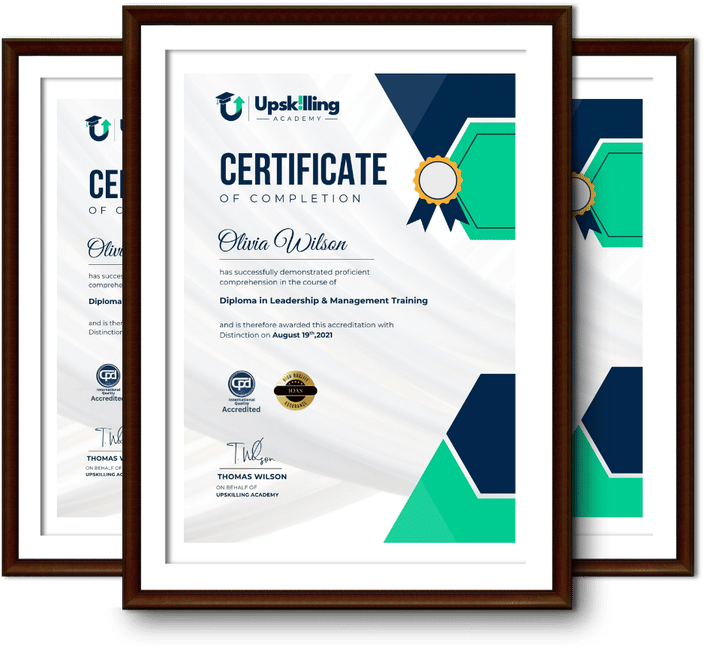
Framed Upskilling Academy certificates of completion

Course Reviews

Christine Ferguson

My experience with you was fantastic and easy to navigate. I'm looking forward to taking the course.

Jesse Harding

Provided highly informative and helpful responses, with quick and efficient replies.

Gary Schwartz

The course selection is broad, engaging, easy to follow, and offers a good challenge.

Bailey Burrows

Excellent course with user-friendly website navigation, making it easy to follow. I'm really enjoying the experience.

Benjamin Moreno

Great course with valuable information. Easy to follow, and I appreciated the flexibility to work at my own pace.

Quality Accreditation

  • incensu Registered Education Supplier
  • Association of Healthcare Trainers member
  • The CPD Group approved provider #790985
  • Disability Confident Committed

FAQ for Level 3 Microsoft 365 Training

How do I access my course?

Once you complete your purchase, you’ll receive access to your course through your Upskilling Academy account. You can log in and access your learning materials online at any time.

How long do I have access to the course?

Your access period depends on the course and the package you purchase. Please check the course details or your order information for the applicable access period.

Can I study at my own pace?

Yes. Upskilling Academy courses are designed to provide flexible online learning, allowing you to study at a pace that suits your schedule.

Will I receive a certificate?

Certificate availability varies by course. Where a certificate is included, you’ll receive information about the requirements and how to obtain it within the course or upon completion.

Are the courses suitable for beginners?

Many courses are suitable for beginners, while others may assume some previous knowledge. Please review the individual course description for information about the recommended level and prerequisites.