Upskilling Academy
Trusted by 3 million learners 24/7 online training Money back guarantee Fully accredited courses
HTML Level 3 Course Thumbnail Lifetime Access
Sale

HTML Level 3 Course

HTML Overview The HTML course is designed as a comprehensive introduction to the fundamental building block of the…

Best Seller Limited Time Offer
Last Updated 17 Sep 2026 352 Enrolled English Flexible Schedule

Access to 1500+ Courses with free CPD Certificates for Only £99 Get Now

What you will learn

  • - Gain a solid foundation in web development by learning the core language of the web
  • - Create and structure your own websites from scratch
  • - Develop skills applicable to both personal projects and professional opportunities
  • - Enhance your ability to collaborate with designers and developers
  • - Build confidence to learn additional web technologies such as CSS and JavaScript
  • - Improve your online portfolio with real, hands-on HTML projects
  • - Unlock opportunities for freelance work and remote web development jobs

Description

HTML

Overview

The HTML course is designed as a comprehensive introduction to the fundamental building block of the web: HyperText Markup Language. Whether you are completely new to coding or looking to strengthen your foundational web skills, this course offers a structured and thorough exploration of HTML’s syntax, features, and real-world applications. Through interactive lessons, practical exercises, and project-based learning, students will gain the confidence and capabilities necessary to create well-structured, accessible, and visually appealing web pages.

Description

HTML (HyperText Markup Language) is the standard language for creating web pages and web applications. This course will walk you through the core concepts of HTML, starting with the basics—such as elements, attributes, and document structure—and progressing to more advanced topics like forms, multimedia integration, semantic markup, and accessibility.

From the beginning, you’ll not only learn what HTML is and how it works, but also why standards compliance and best coding practices matter in the field of web development. As you move through each module, you’ll have opportunities to apply your knowledge through hands-on exercises and mini-projects designed to reinforce your understanding.

Topics include:

  • The anatomy of an HTML document
  • Text formatting and semantic elements
  • Creating and linking pages using hyperlinks
  • Organizing content with lists, tables, and sections
  • Embedding images, audio, and video
  • Building interactive forms
  • Enhancing accessibility for all users
  • Introduction to HTML5 and modern best practices

Upon completing this course, you will have built several functional, well-structured web pages from scratch and be prepared for further studies in CSS, JavaScript, and beyond. You will also possess a strong grasp of how webpages are structured and delivered on the internet.

Career Path

Mastering HTML is the critical first step for numerous roles within the web and software development industries. With a solid understanding of HTML, you can pursue a variety of career opportunities, including:

  • Front-End Web Developer: Design and code the client-side of websites and web apps using HTML, CSS, and JavaScript.
  • Web Designer: Create visually appealing and user-friendly web pages using HTML, often in conjunction with design tools and frameworks.
  • Content Editor or Manager: Oversee content creation and management on corporate websites, blogs, or online magazines using HTML for structure and formatting.
  • Email Developer: Build engaging marketing emails using HTML to ensure cross-client compatibility and interactivity.
  • QA Engineer (Web): Test and validate web pages or applications for structural integrity and accessibility using knowledge of HTML markup.

Proficiency in HTML is also a valuable asset for careers in digital marketing, UX/UI design, technical writing, and more. It lays a vital foundation for expanding your skillset into advanced web technologies, frameworks, and programming languages.

Who Is This Course For?

This course is designed to be accessible to a diverse range of learners. It is ideal for:

  • Absolute beginners with no prior programming experience who wish to start their journey in web development.
  • Students studying computer science, information technology, or digital design seeking a practical introduction to web technologies.
  • Working professionals looking to expand their skillset, whether you’re a marketer, designer, or entrepreneur interested in understanding how websites work.
  • Hobbyists and self-learners eager to build personal websites, portfolios, or blogs.
  • Developers from non-web backgrounds aiming to broaden their technical expertise.

If you are curious about how the internet is built, want to create your own website, or plan to pursue a career in technology, this course will serve as the perfect starting point.

Requirements

One of the strengths of HTML is its accessibility. To take this course, you will need only a few basic prerequisites:

  • No prior coding experience is required. All concepts will be explained from the ground up, and industry terminology will be clarified as needed.
  • A desktop or laptop computer with internet access.
  • A modern web browser (such as Google Chrome, Mozilla Firefox, Microsoft Edge, or Safari).
  • A simple text editor such as Notepad (Windows), TextEdit (Mac), or any code editor like VS Code, Sublime Text, or Atom (recommended for enhanced productivity).
  • Willingness to learn and experiment—curiosity and persistence are the most important requirements!

Optional: Basic familiarity with how to use a computer (file management, internet browsing) will help you get the most out of the course, but is not mandatory.

All lessons, resources, and exercises are designed to ensure you have everything you need to get started building web pages with confidence. Join us and take the first step towards mastering web development!

Course Curriculum

Course Content

Module 1_ Introduction to HTML

  • Lesson 1_ Introduction to HTML

Module 10_ Advanced HTML Techniques

Module 2_ Text Formatting

Module 3_ Links and Navigation

Module 4_ Images and Multimedia

Module 5_ Tables and Forms

Module 6_ HTML Semantics and Accessibility

Module 7_ HTML5 Features

Module 8_ Styling with CSS

Module 9_ Responsive Design

Who should take the course

  • - Beginners with no prior coding experience
  • - Students learning web development basics
  • - Professionals wanting to build personal websites
  • - Designers seeking to understand website structure
  • - Bloggers who want to customize their sites
  • - Entrepreneurs building a simple online presence
  • - Anyone interested in learning how web pages work

Certificate for Success at Every Step

  • No expiry date. You can keep and use the certificate forever.
  • Recognised across various UK industries.
  • Increases your chances of employability.
  • Boosts your professional credibility.
  • Shows you're up to date with industry knowledge.
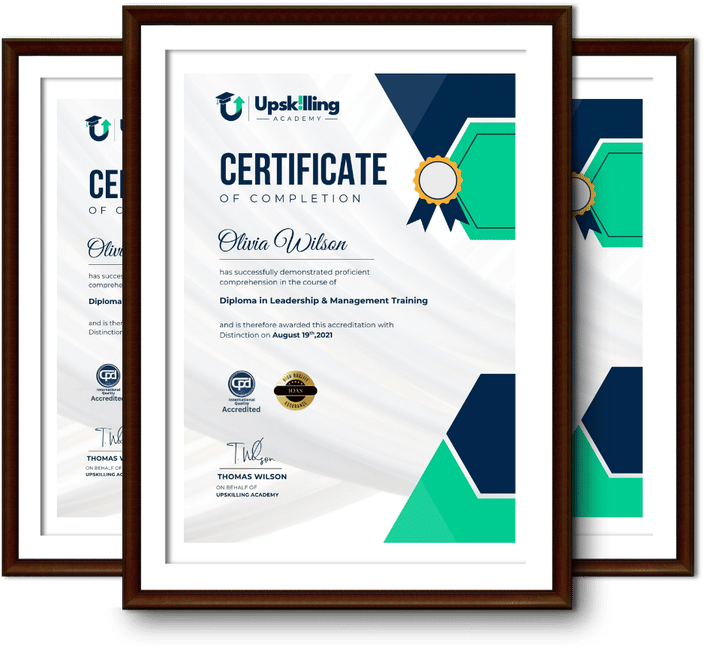
Framed Upskilling Academy certificates of completion

Course Reviews

Christine Ferguson

My experience with you was fantastic and easy to navigate. I'm looking forward to taking the course.

Jesse Harding

Provided highly informative and helpful responses, with quick and efficient replies.

Gary Schwartz

The course selection is broad, engaging, easy to follow, and offers a good challenge.

Bailey Burrows

Excellent course with user-friendly website navigation, making it easy to follow. I'm really enjoying the experience.

Benjamin Moreno

Great course with valuable information. Easy to follow, and I appreciated the flexibility to work at my own pace.

Quality Accreditation

  • incensu Registered Education Supplier
  • Association of Healthcare Trainers member
  • The CPD Group approved provider #790985
  • Disability Confident Committed

FAQ for HTML Level 3 Course

How do I access my course?

Once you complete your purchase, you’ll receive access to your course through your Upskilling Academy account. You can log in and access your learning materials online at any time.

How long do I have access to the course?

Your access period depends on the course and the package you purchase. Please check the course details or your order information for the applicable access period.

Can I study at my own pace?

Yes. Upskilling Academy courses are designed to provide flexible online learning, allowing you to study at a pace that suits your schedule.

Will I receive a certificate?

Certificate availability varies by course. Where a certificate is included, you’ll receive information about the requirements and how to obtain it within the course or upon completion.

Are the courses suitable for beginners?

Many courses are suitable for beginners, while others may assume some previous knowledge. Please review the individual course description for information about the recommended level and prerequisites.