Upskilling Academy
Trusted by 3 million learners 24/7 online training Money back guarantee Fully accredited courses
Google Workspace Level 3 Course Thumbnail Lifetime Access
Sale

Google Workspace Level 3 Course

Google Workspace Overview Google Workspace, formerly known as G Suite, is a cloud-based productivity suite designed to empower…

Best Seller Limited Time Offer
Last Updated 17 Sep 2026 352 Enrolled English Flexible Schedule

Access to 1500+ Courses with free CPD Certificates for Only £99 Get Now

What you will learn

  • - Master the essential tools of Google Workspace, including Gmail, Drive, Docs, Sheets, and Calendar
  • - Improve your productivity by learning time-saving features and shortcuts
  • - Collaborate seamlessly with teams using real-time editing, sharing, and communication features
  • - Organize and manage your work more efficiently with cloud-based storage and easy file access
  • - Strengthen your digital skills, making you more valuable in any modern workplace
  • - Gain confidence to integrate Google Workspace into daily tasks and workflows
  • - Enhance remote work capabilities with secure and accessible tools from any device

Description

Google Workspace

Overview

Google Workspace, formerly known as G Suite, is a cloud-based productivity suite designed to empower collaboration, communication, and seamless workflow management. With applications such as Gmail, Docs, Sheets, Slides, Calendar, Drive, and more, Google Workspace has become an essential platform for businesses, educational institutions, and individuals around the globe. This comprehensive course is meticulously designed to introduce learners to all key features and provide hands-on experience, enabling efficient use of Google Workspace tools in personal and professional settings.

Description

The Google Workspace course is an in-depth training program covering every major component of Google’s flagship productivity suite. Participants will gain a thorough understanding of how to utilize Google Workspace applications to organize projects, communicate efficiently, create and share documents, manage data, and foster a collaborative digital environment.

Throughout the course, you will be guided through real-world scenarios, loaded with interactive demonstrations, hands-on labs, and assignments. Starting from foundational concepts, the course builds to advanced functionalities, ensuring you possess practical expertise by the end.

  • Gmail: Learn the foundations of email management, organization, customization, and productivity-enhancing best practices.
  • Google Drive: Understand file storage, version management, sharing protocols, and maximizing Drive’s cloud capabilities for teamwork.
  • Google Docs, Sheets, and Slides: Create, edit, format, and collaborate on documents, spreadsheets, and presentations, including real-time co-editing and version history.
  • Google Calendar: Master event creation, reminders, scheduling meetings, and integrating with other Workspace apps to streamline workflows.
  • Google Meet and Chat: Explore video conferencing, team communication, and virtual meeting etiquettes essential for remote collaboration.
  • Admin Console (for business/education): Delve into user management, security protocols, data protection, and policy enforcement, empowering administrators with advanced controls.
  • Integrations and Automation: Discover how to connect Google Workspace with other applications, utilize add-ons, and leverage automation tools for efficiency.

The course employs a blend of video lectures, practical assignments, quizzes, and downloadable resources. By the end, participants will have constructed a portfolio of documents, spreadsheets, and collaborative projects, demonstrating their proficiency in Google Workspace.

Career Path

Mastering Google Workspace opens up an array of career opportunities and growth paths, as many modern organizations depend on these tools for everyday operations. Here are several ways the skills acquired from this course may benefit your career:

  • Administrative Assistant: Manage schedules, correspondence, and documentation efficiently with Workspace tools.
  • Project Coordinator/Manager: Oversee projects, facilitate team collaboration, and centralize documentation with shared drives and collaborative apps.
  • Educator or Trainer: Use Google Classroom, Forms, and collaborative documents to organize lessons and engage students effectively.
  • IT Support Specialist: Provide technical support and user training for Workspace, including admin console operations and troubleshooting.
  • Remote Worker or Freelancer: Deliver professional work while collaborating with clients and teams using a fully cloud-based workflow.
  • Business Owner/Entrepreneur: Optimize operations, improve communication, and manage teams with scalable solutions.
  • Marketing and Sales: Organize client communications, campaign data, and presentations utilizing Workspace’s suite.

These are just a few examples. Google Workspace proficiency is increasingly listed as a key requirement in job postings across industries, making this an essential skillset for anyone looking to advance their digital workplace abilities.

Who Is This Course For?

This course is designed for a wide audience, including but not limited to:

  • Students seeking to boost productivity and group collaboration in their academic lives.
  • Professionals who wish to organize their workflow, manage documents, and enhance virtual communication.
  • Team Leaders and Managers aiming to leverage collaborative features for effective team performance.
  • Business Owners looking for cost-effective, scalable solutions for their operations.
  • Educators aspiring to modernize classroom management and lesson delivery.
  • Administrative staff requiring better ways to manage files, communications, and schedules.
  • Anyone interested in mastering digital collaboration tools for personal or career development.

No matter your career stage or background, the Google Workspace course adapts to meet learners at any skill level, from complete beginners to those seeking specialized expertise or Google Workspace Admin roles.

Requirements

To make the most of this course, participants should have:

  • A device with internet access: Laptop, desktop, Chromebook, or a tablet. A full keyboard is recommended for hands-on assignments.
  • A Google Account: Personal, business, or educational (all functionalities can be explored with a free personal account, but some admin features may need a business or educational license).
  • Basic Computer Skills: Comfort with browsing the web, using email, and basic file management.
  • Willingness to practice: Assignments, labs, and exercises are designed for active engagement and skills retention.

No prior experience with Google Workspace is required. Whether you are a novice or looking for structured, advanced training, this course will provide comprehensive guidance to transform how you work, learn, and collaborate in the digital space.

Course Curriculum

Course Content

Module 01_ Getting Started with Google Workspace

  • Lesson 01_ Getting Started with Google Workspace

Module 02_ Managing Files and Folders in Google Drive

Module 03_ Performing Common Tasks in Google Docs, Google Sheets, and Google Slides

Module 04_ Working in Google Docs

Module 05_ Sharing and Collaborating on Files

Module 06_ Working in Google Sheets

Module 07_ Working in Google Slides

Module 08_ Organising Your Life

Who should take the course

  • - Small business owners wanting to improve team productivity
  • - Office workers looking to master Google Workspace tools
  • - Educators and teachers aiming to organize digital classrooms
  • - Freelancers seeking efficient document and project management
  • - Students interested in collaborative online work
  • - IT support staff responsible for managing Google accounts
  • - Remote teams needing better communication and file sharing

Certificate for Success at Every Step

  • No expiry date. You can keep and use the certificate forever.
  • Recognised across various UK industries.
  • Increases your chances of employability.
  • Boosts your professional credibility.
  • Shows you're up to date with industry knowledge.
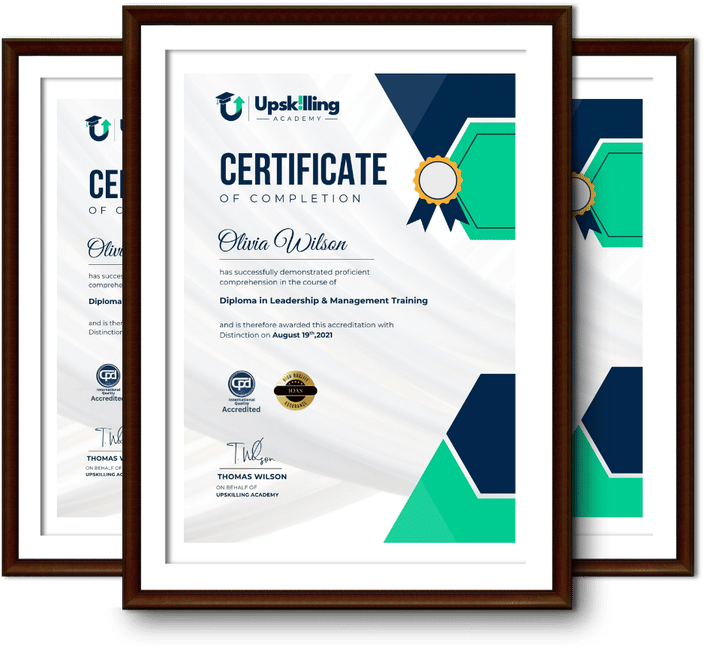
Framed Upskilling Academy certificates of completion

Course Reviews

Christine Ferguson

My experience with you was fantastic and easy to navigate. I'm looking forward to taking the course.

Jesse Harding

Provided highly informative and helpful responses, with quick and efficient replies.

Gary Schwartz

The course selection is broad, engaging, easy to follow, and offers a good challenge.

Bailey Burrows

Excellent course with user-friendly website navigation, making it easy to follow. I'm really enjoying the experience.

Benjamin Moreno

Great course with valuable information. Easy to follow, and I appreciated the flexibility to work at my own pace.

Quality Accreditation

  • incensu Registered Education Supplier
  • Association of Healthcare Trainers member
  • The CPD Group approved provider #790985
  • Disability Confident Committed

FAQ for Google Workspace Level 3 Course

How do I access my course?

Once you complete your purchase, you’ll receive access to your course through your Upskilling Academy account. You can log in and access your learning materials online at any time.

How long do I have access to the course?

Your access period depends on the course and the package you purchase. Please check the course details or your order information for the applicable access period.

Can I study at my own pace?

Yes. Upskilling Academy courses are designed to provide flexible online learning, allowing you to study at a pace that suits your schedule.

Will I receive a certificate?

Certificate availability varies by course. Where a certificate is included, you’ll receive information about the requirements and how to obtain it within the course or upon completion.

Are the courses suitable for beginners?

Many courses are suitable for beginners, while others may assume some previous knowledge. Please review the individual course description for information about the recommended level and prerequisites.