Upskilling Academy
Trusted by 3 million learners 24/7 online training Money back guarantee Fully accredited courses
Level 3 Certificate in Effective Presentation Design Principles Thumbnail Lifetime Access
Sale

Level 3 Certificate in Effective Presentation Design Principles

Effective Presentation Design Principles Overview The ability to deliver visually engaging, well-structured presentations is an indispensable skill in…

Best Seller Limited Time Offer
Last Updated 26 Sep 2026 352 Enrolled English Flexible Schedule

Access to 1500+ Courses with free CPD Certificates for Only £99 Get Now

What you will learn

  • - Gain confidence in designing visually appealing and professional presentations
  • - Learn practical techniques to organize information clearly and logically
  • - Understand how to use color, typography, and imagery to enhance your message
  • - Master strategies to keep your audience engaged and attentive
  • - Save time by applying proven templates and design frameworks
  • - Improve your ability to communicate complex ideas simply and effectively
  • - Stand out in your career with polished, persuasive presentation skills

Description

Effective Presentation Design Principles

Overview

The ability to deliver visually engaging, well-structured presentations is an indispensable skill in today’s professional and academic landscape. Effective Presentation Design Principles is an immersive course that equips participants with the foundational concepts, practical strategies, and hands-on tools necessary to craft outstanding presentations. Whether communicating project results, pitching new ideas, instructing a class, or persuading stakeholders, this course will transform the way you approach presentation design—from concept through delivery.

You will gain insight into the psychology of audience engagement, learn how to communicate visually for maximum impact, and discover advanced design techniques to ensure your presentations never go unnoticed. As you progress, you’ll develop confidence in both your design choices and your storytelling abilities, mastering the art of conveying your message with clarity, elegance, and authority.

Description

This course delivers a comprehensive exploration of the principles and processes behind compelling presentation design. Far more than just a technical tutorial, it delves into why certain designs work, how to make content visually appealing, and what best practices ensure your message resonates with diverse audiences. Each module is structured around core design concepts—such as hierarchy, layout, color theory, typography, and data visualization—paired with practical exercises and real-world examples across business, education, and creative fields.

  • Module 1: Foundations of Presentation Design

    Examine the core principles that underpin effective slideshows, addressing audience psychology, presentation objectives, and storytelling fundamentals.
  • Module 2: Visual Hierarchy and Layout

    Learn to structure information for clarity, using alignment, proximity, and visual balance to guide attention and create flow between slides.
  • Module 3: Color and Typography

    Unlock the science of color palettes and font choices, exploring accessibility, brand alignment, and emotional impact.
  • Module 4: Data Storytelling and Visualization

    Transform raw data into compelling visuals, using charts, graphs, icons, and images to maximize understanding and retention.
  • Module 5: Tools, Techniques, and Advanced Tips

    Discover best-in-class tools (PowerPoint, Google Slides, Canva, Prezi, Figma, etc.), animation best practices, and methods for integrating multimedia.
  • Module 6: Review and Feedback

    Practice your newly developed skills by creating a final presentation, receiving thorough peer and instructor feedback for continuous improvement.

No prior graphic design experience is necessary. The course strikes a healthy balance between theory and practice, ensuring that you are not only informed about what makes an effective presentation, but are also fully capable of implementing those techniques immediately. Throughout, you will have access to downloadable resources, checklists, templates, and an engaged learning community.

Career Path

The ability to communicate ideas powerfully is critical across a multitude of professional pathways. Mastering presentation design will give you a lasting competitive advantage and open doors to various roles, including but not limited to:

  • Business Professionals: Managers, consultants, sales teams, and executives regularly deliver pitches, reports, and strategic updates that benefit from effective visuals.
  • Marketing & Communications: Marketing specialists and public relations officers frequently design campaign presentations, client proposals, and internal communications materials.
  • Educators & Trainers: Teachers, professors, and corporate trainers rely on effective slides to convey complex concepts and maintain learner engagement.
  • Entrepreneurs & Start-up Founders: Pitching investors or presenting business plans is a foundational skill for new ventures.
  • Design & Creative Fields: Aspiring graphic designers and content creators will gain a better understanding of visual communication principles.

Additionally, proficiency in presentation design is highly regarded in research, nonprofit, government, and technology sectors. The skills learned here will also enhance your professional branding, collaborative projects, and personal development efforts.

Who Is This Course For?

  • Professionals from any field seeking to upskill their ability to present ideas with impact and professionalism.
  • Students and academics who need to communicate research findings or classroom content effectively.
  • Entrepreneurs and start-up founders preparing for pitch rounds, demonstrations, and investor meetings.
  • Junior designers wishing to move into presentation or communication design.
  • Anyone interested in boosting their visual literacy and storytelling capabilities.

This course is suitable for complete beginners as well as those with some presentation experience who wish to expand their understanding and polish their existing skills. If you are frustrated by generic, text-heavy slides or want to elevate your visual communication prowess, this course is designed for you.

Requirements

  • Technical Requirements: A computer or tablet with internet access is essential. Basic familiarity with presentation software (such as Microsoft PowerPoint, Google Slides, or similar) is recommended but not mandatory, as the course offers step-by-step instructional guides.
  • Software: While not required, access to one or more common presentation tools (e.g., PowerPoint, Google Slides, Canva, or Prezi) will help maximize hands-on practice.
  • Time Commitment: Expect to dedicate approximately 3-5 hours per week for the duration of the course, including video lectures, readings, exercises, and project work.
  • Materials: Downloadable templates, checklists, and project briefs will be provided. Students are encouraged to bring examples of personal or workplace presentations for critique and improvement.
  • Mindset: Enthusiasm to learn, experiment, give and receive feedback, and creatively apply new skills is key to making the most of this course experience.

Upon completion, you will have a robust understanding of presentation design best practices, a professional-grade portfolio project, and the skills necessary to craft slideshows that inform, persuade, and inspire your audiences.

Course Curriculum

Course Content

Module 1_ Introduction to Presentation Design

  • Lesson 1_ Introduction to Presentation Design

Module 2_ Structure and Storytelling

Module 3_ Visual Hierarchy

Module 4_ Typography

Module 5_ Color Theory

Who should take the course

  • - College students preparing for class presentations
  • - Business professionals creating slides for meetings
  • - Teachers and educators designing instructional materials
  • - Entrepreneurs pitching ideas to investors
  • - Marketers making client-facing presentations
  • - Nonprofit staff sharing reports or updates
  • - Researchers presenting findings at conferences

Certificate for Success at Every Step

  • No expiry date. You can keep and use the certificate forever.
  • Recognised across various UK industries.
  • Increases your chances of employability.
  • Boosts your professional credibility.
  • Shows you're up to date with industry knowledge.
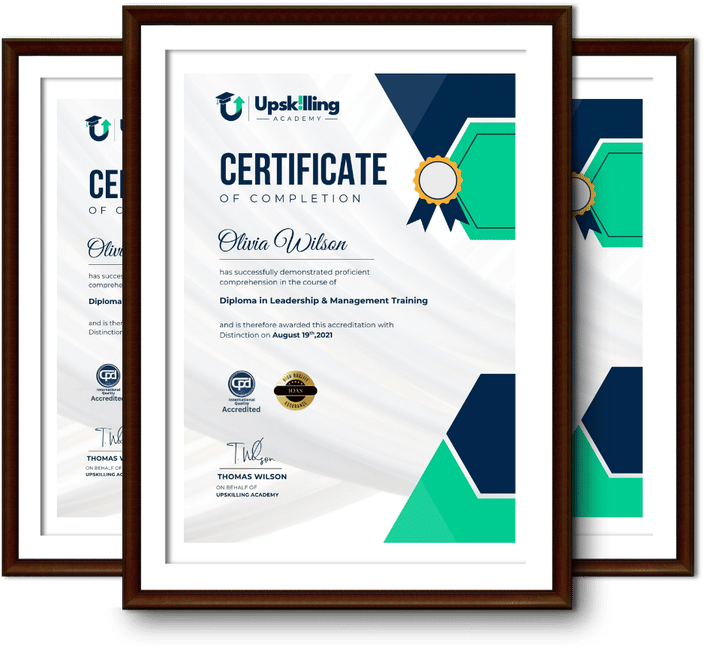
Framed Upskilling Academy certificates of completion

Course Reviews

Christine Ferguson

My experience with you was fantastic and easy to navigate. I'm looking forward to taking the course.

Jesse Harding

Provided highly informative and helpful responses, with quick and efficient replies.

Gary Schwartz

The course selection is broad, engaging, easy to follow, and offers a good challenge.

Bailey Burrows

Excellent course with user-friendly website navigation, making it easy to follow. I'm really enjoying the experience.

Benjamin Moreno

Great course with valuable information. Easy to follow, and I appreciated the flexibility to work at my own pace.

Quality Accreditation

  • incensu Registered Education Supplier
  • Association of Healthcare Trainers member
  • The CPD Group approved provider #790985
  • Disability Confident Committed

FAQ for Level 3 Certificate in Effective Presentation Design Principles

How do I access my course?

Once you complete your purchase, you’ll receive access to your course through your Upskilling Academy account. You can log in and access your learning materials online at any time.

How long do I have access to the course?

Your access period depends on the course and the package you purchase. Please check the course details or your order information for the applicable access period.

Can I study at my own pace?

Yes. Upskilling Academy courses are designed to provide flexible online learning, allowing you to study at a pace that suits your schedule.

Will I receive a certificate?

Certificate availability varies by course. Where a certificate is included, you’ll receive information about the requirements and how to obtain it within the course or upon completion.

Are the courses suitable for beginners?

Many courses are suitable for beginners, while others may assume some previous knowledge. Please review the individual course description for information about the recommended level and prerequisites.