Upskilling Academy
Trusted by 3 million learners 24/7 online training Money back guarantee Fully accredited courses
Level 3 Certificate in CSS Thumbnail Lifetime Access
Sale

Level 3 Certificate in CSS

CSS Overview Cascading Style Sheets (CSS) is a cornerstone technology in the world of web development, empowering designers…

Best Seller Limited Time Offer
Last Updated 17 Sep 2026 352 Enrolled English Flexible Schedule

Access to 1500+ Courses with free CPD Certificates for Only £99 Get Now

What you will learn

  • - Gain a solid understanding of fundamental and advanced CSS concepts
  • - Learn how to create visually appealing and responsive web pages
  • - Improve your ability to style websites efficiently and effectively
  • - Boost your employment opportunities in web development and design
  • - Master CSS layout techniques such as Flexbox and Grid
  • - Enhance usability and accessibility for all users
  • - Stay updated with best practices and modern CSS features

Description

CSS

Overview

Cascading Style Sheets (CSS) is a cornerstone technology in the world of web development, empowering designers and developers to control the look and feel of websites with precision and creativity. This comprehensive course is designed to introduce you to the essential concepts and advanced techniques of CSS, ranging from basic styling to responsive layouts, animations, and best practices for maintainability. By the end of this course, you will possess the skills necessary to bring your web projects to life with professional polish and interactive visual appeal.

Description

CSS is the language used to describe the presentation of web pages, including colors, layouts, fonts, and even complex animations. In this course, you will start from the basics—understanding the syntax, selectors, and the cascade—before moving on to more advanced concepts such as Flexbox, CSS Grid, custom properties (variables), and Sass preprocessing. You will also explore responsive design techniques to ensure your websites look great on all devices, accessibility principles to create inclusive web experiences, and how to leverage CSS frameworks and methodologies for large projects.

Through hands-on projects, real-world examples, and step-by-step guidance, you will gain practical experience building attractive, user-friendly web pages. You will learn not only how to write efficient CSS, but also how to architect your stylesheets for performance and scalability. Whether you want to create personal portfolios, interactive business sites, or embark on a front-end developer career, this course provides the foundational knowledge and advanced capabilities you need.

  • Learn core CSS properties, selectors, and specificity
  • Master layout systems like Flexbox and CSS Grid
  • Create animations, transitions, and interactive components
  • Understand responsive design and media queries
  • Work with pre-processors and frameworks
  • Adopt best practices for maintainability and performance

Career Path

CSS expertise is highly sought after in the digital workforce, forming a key skillset for several in-demand roles within technology and design teams. By mastering CSS, you unlock a variety of career opportunities, including but not limited to:

  • Front-End Developer: Work with HTML, JavaScript, and CSS to build and maintain websites and web applications.
  • UI/UX Designer: Prototype and implement visually engaging interfaces, focusing on user experience and accessibility.
  • Web Designer: Transform design concepts into interactive and attractive web layouts.
  • WordPress/Themes Developer: Customize and create responsive themes for popular content management systems.
  • Mobile Web Developer: Ensure websites are optimized for mobile devices using responsive design best practices.
  • Accessibility Specialist: Advocate and implement solutions that make web content usable by all, including those with disabilities.
  • Freelance Web Professional: Build, maintain, and enhance websites for a diverse range of clients and industries.

Knowledge of CSS also lays the foundation for further growth in front-end frameworks such as React, Angular, and Vue.js, and serves as a stepping stone into advanced topics like web animations, cross-browser compatibility, and performance optimization.

Who Is This Course For?

This CSS course caters to a wide audience, from absolute beginners to intermediates looking to solidify and expand their capabilities. If you resonate with any of the following, this course is designed for you:

  • Newcomers to Web Development: Individuals starting their journey into building websites and eager to learn the essential skills for styling and layout.
  • Self-Taught Designers and Developers: Those looking to backfill their knowledge, adopt current best practices, and expand beyond the basics.
  • Computer Science Students: Learners aiming to supplement theoretical coursework with hands-on web development experience.
  • Marketing and Content Professionals: People responsible for managing and customizing websites as part of their roles.
  • Entrepreneurs and Small Business Owners: Anyone who wants to create, manage, and update their own online presence without relying solely on third parties.
  • Product Managers and Team Leads: Professionals hoping to better collaborate with design and development teams by understanding how web styling works.

Whether your goal is to design beautiful personal projects, increase your professional value, or kickstart a new career as a web developer, this course provides the skills and confidence you need to excel.

Requirements

To make the most of this CSS course, you should meet the following prerequisites:

  • Basic Computer Skills: Comfort with navigating your file system, using web browsers, and installing software.
  • Fundamental HTML Knowledge: While not strictly required, familiarity with basic HTML tags and structure will help you follow along; introductory lessons will be available for review as needed.
  • Text Editor: Any code or text editor will suffice (e.g., Visual Studio Code, Sublime Text, Atom, Notepad++).
  • Modern Web Browser: Google Chrome, Firefox, Safari, or Edge are recommended for testing and development.
  • Desire to Learn: Curiosity, persistence, and a passion for building and improving web projects are essential!

No previous programming or design experience is necessary—the course is structured to gradually build up your understanding and technical skills. With a blend of video tutorials, written lessons, quizzes, and practical projects, you will have everything you need to become proficient in CSS and confidently style stunning web applications.

Course Curriculum

Course Content

Chapter 1_ Introduction To CSS

  • Chapter 1_ Introduction To CSS

Chapter 2_ Element Properties

Chapter 3_ Colours

Chapter 4_ Final Touches

Who should take the course

  • - Beginners who want to learn web design basics
  • - Students studying web development
  • - Developers looking to improve website appearance
  • - Small business owners building their own websites
  • - Designers interested in front-end coding
  • - Content creators managing blogs or portfolios
  • - Anyone wanting to enhance their HTML skills with CSS

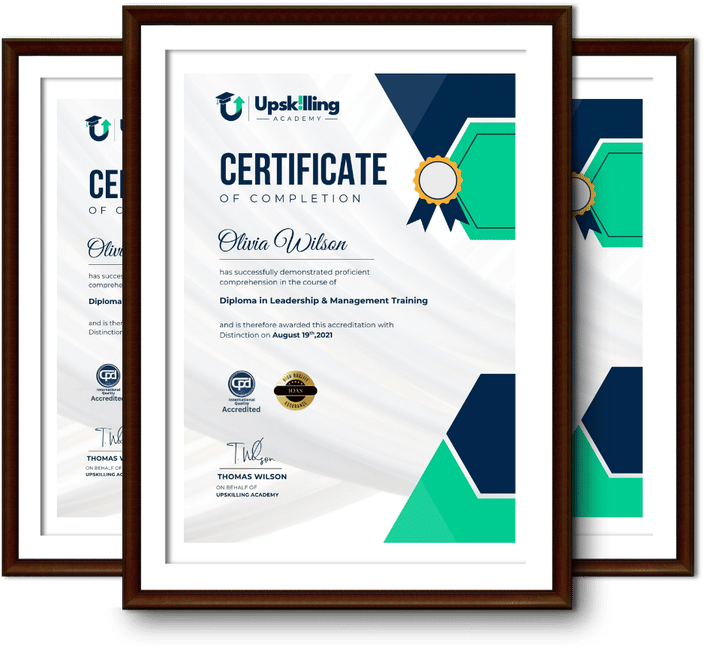
Certificate for Success at Every Step

  • No expiry date. You can keep and use the certificate forever.
  • Recognised across various UK industries.
  • Increases your chances of employability.
  • Boosts your professional credibility.
  • Shows you're up to date with industry knowledge.
Framed Upskilling Academy certificates of completion

Course Reviews

Christine Ferguson

My experience with you was fantastic and easy to navigate. I'm looking forward to taking the course.

Jesse Harding

Provided highly informative and helpful responses, with quick and efficient replies.

Gary Schwartz

The course selection is broad, engaging, easy to follow, and offers a good challenge.

Bailey Burrows

Excellent course with user-friendly website navigation, making it easy to follow. I'm really enjoying the experience.

Benjamin Moreno

Great course with valuable information. Easy to follow, and I appreciated the flexibility to work at my own pace.

Quality Accreditation

  • incensu Registered Education Supplier
  • Association of Healthcare Trainers member
  • The CPD Group approved provider #790985
  • Disability Confident Committed

FAQ for Level 3 Certificate in CSS

How do I access my course?

Once you complete your purchase, you’ll receive access to your course through your Upskilling Academy account. You can log in and access your learning materials online at any time.

How long do I have access to the course?

Your access period depends on the course and the package you purchase. Please check the course details or your order information for the applicable access period.

Can I study at my own pace?

Yes. Upskilling Academy courses are designed to provide flexible online learning, allowing you to study at a pace that suits your schedule.

Will I receive a certificate?

Certificate availability varies by course. Where a certificate is included, you’ll receive information about the requirements and how to obtain it within the course or upon completion.

Are the courses suitable for beginners?

Many courses are suitable for beginners, while others may assume some previous knowledge. Please review the individual course description for information about the recommended level and prerequisites.