Upskilling Academy
Trusted by 3 million learners 24/7 online training Money back guarantee Fully accredited courses
Level 3 Certificate in Creating Interactive Presentations Thumbnail Lifetime Access
Sale

Level 3 Certificate in Creating Interactive Presentations

Creating Interactive Presentations Overview In today’s fast-paced digital world, mere dissemination of information through static presentations is no…

Best Seller Limited Time Offer
Last Updated 27 Sep 2026 352 Enrolled English Flexible Schedule

Access to 1500+ Courses with free CPD Certificates for Only £99 Get Now

What you will learn

  • - Engage your audience with dynamic, interactive content
  • - Improve information retention through hands-on activities
  • - Learn to use modern presentation tools and techniques
  • - Stand out with presentations that capture attention
  • - Gain confidence in designing visually appealing slides
  • - Save time with ready-to-use templates and best practices
  • - Adapt your presentations for both in-person and virtual settings

Description

Creating Interactive Presentations

Overview

In today’s fast-paced digital world, mere dissemination of information through static presentations is no longer sufficient to capture and retain an audience’s attention. Interaction, engagement, and participation are key elements that transform any presentation from forgettable to impactful. The Creating Interactive Presentations course is meticulously designed for professionals, educators, entrepreneurs, and students who aspire to develop and deliver presentations that not only communicate ideas but inspire action, foster collaboration, and leave a lasting impression.

Through a comprehensive exploration of interactive tools, user-centered design principles, and innovative delivery techniques, this course will equip you with the essential skills to craft dynamic and memorable presentations for any context—whether online or in-person. Step confidently beyond conventional presentation slides, embrace multimedia integration, leverage audience response systems, and discover how to adapt presentations in real time based on audience feedback.

Description

Creating Interactive Presentations is a hands-on, practical course spanning theory and application. Beginning with foundational concepts of audience engagement and learning psychology, the course explores the various formats and technologies available for interactive presentations, including but not limited to:

  • PowerPoint 365 with real-time polls and quizzes
  • Prezi for non-linear storytelling
  • Google Slides add-ons and integrations
  • Mentimeter and Slido for live audience input
  • Advanced features in platforms like Canva, Keynote, and more

Students will systematically learn the science and art behind interactivity in presentations:

  • Understanding Your Audience: Discover techniques to analyze your audience’s expectations, needs, and learning preferences, setting the foundation for tailored interactivity.
  • Storyboard and Structure: Strategize the flow of your presentations with narrative arcs, branching paths, and interactive checkpoints to keep participants involved.
  • Incorporating Media: Effectively leverage videos, animations, infographics, and sound to stimulate multiple senses.
  • Live Polls and Q&A: Utilize built-in or third-party tools for immediate feedback, gauging audience understanding and adapting your content on the fly.
  • Gamification: Turn information delivery into games, challenges, or competitions to foster deeper involvement and comprehension.
  • Collaborative Activities: Foster peer-to-peer learning, group brainstorming sessions, and digital whiteboarding to empower active participation.
  • Accessibility and Inclusion: Make your presentations interactive for all by considering diverse learning needs and ensuring multi-device compatibility.
  • Data and Analytics: Measure the success and effectiveness of your interactive features, and learn how to use analytics for continuous improvement.

At every step, you will engage in real-world projects—crafting presentations for business pitches, educational lessons, training modules, workshops, or public events—receiving personalized feedback from instructors and peers.

Career Path

The ability to design and deliver interactive presentations is an invaluable asset in numerous professional fields, offering advantages such as greater engagement, memorable communication, and enhanced credibility. Upon completion of this course, participants will be primed for progression in diverse roles, including but not limited to:

  • Corporate Trainers & Facilitators: Develop memorable training modules and workshops that boost organizational performance.
  • Educators & Academic Professionals: Create lessons that foster active learning and higher student achievement.
  • Sales & Marketing Professionals: Deliver high-impact product demos and pitches with strong audience recall.
  • Public Speakers & Thought Leaders: Engage large audiences with dynamic, participatory talks at conferences and events.
  • Consultants & Entrepreneurs: Win clients and secure buy-in with customized, interactive pitches.
  • Media & Communication Specialists: Produce engaging webcasts, webinars, and online educational content.
  • Instructional Designers: Design interactive e-learning experiences for corporate or academic environments.

Graduates will not only elevate their presentation capabilities but will also add a critical, future-proof skill set to their portfolio—one that is highly sought after as workplaces continue to embrace hybrid and remote communication.

Who Is This Course For?

This course is designed for anyone interested in evolving beyond traditional presentation methods and embracing interactivity to foster true audience engagement. It is especially suited for:

  • Professionals who frequently present to internal or external stakeholders
  • Teachers, university lecturers, and education technology specialists
  • Corporate trainers, HR specialists, and learning & development teams
  • Entrepreneurs and startup founders pitching ideas to investors or customers
  • Students who wish to stand out in academic and extracurricular contexts
  • Freelancers in design, communication, and content creation
  • Public speakers, coaches, and workshop facilitators

Whether you are a presentation novice or a seasoned speaker looking to refresh your approach, this course meets you at your experience level and guides you towards mastery of interactive presentation design.

Requirements

No advanced technical expertise is required to enroll in this course; however, participants should have basic familiarity with using a computer, the internet, and simple office productivity tools. To maximize the course experience, you will need:

  • A personal computer or laptop (Windows or Mac recommended)
  • Stable internet connection for accessing online tools and platforms
  • Basic experience with any presentation software (e.g., PowerPoint, Google Slides, Keynote)—even at an introductory level
  • Willingness to experiment with new tools, apps, and plugins introduced during the course
  • An open mind ready for creativity and collaboration

Optional but beneficial: A webcam and microphone for recording and delivering presentations, especially in online or blended learning environments.

The course will provide trial access (or guidance for free accounts) to recommended software and web-based tools used throughout the modules.

By the end of Creating Interactive Presentations, you will have developed a portfolio of interactive presentations applicable to your personal or professional pursuits, armed with both the confidence and competence to innovate the way you communicate, teach, and inspire.

Course Curriculum

Course Content

Module 1_ Introduction to Interactive Presentations

  • Lesson 1_ Introduction to Interactive Presentations

Module 2_ Planning and Structuring Your Presentation

Module 3_ Tools and Technologies for Interactive Presentations

Module 4_ Creating Interactive Slides

Module 5_ Engaging Your Audience with Quizzes and Polls

Who should take the course

  • - Teachers and educators who want to make lessons more engaging
  • - Business professionals who present to clients or colleagues
  • - Students looking to improve their presentation skills
  • - Trainers and workshop facilitators
  • - Marketing and sales personnel who pitch products or services
  • - Nonprofit staff presenting to stakeholders or community groups
  • - Anyone interested in creating memorable and effective presentations

Certificate for Success at Every Step

  • No expiry date. You can keep and use the certificate forever.
  • Recognised across various UK industries.
  • Increases your chances of employability.
  • Boosts your professional credibility.
  • Shows you're up to date with industry knowledge.
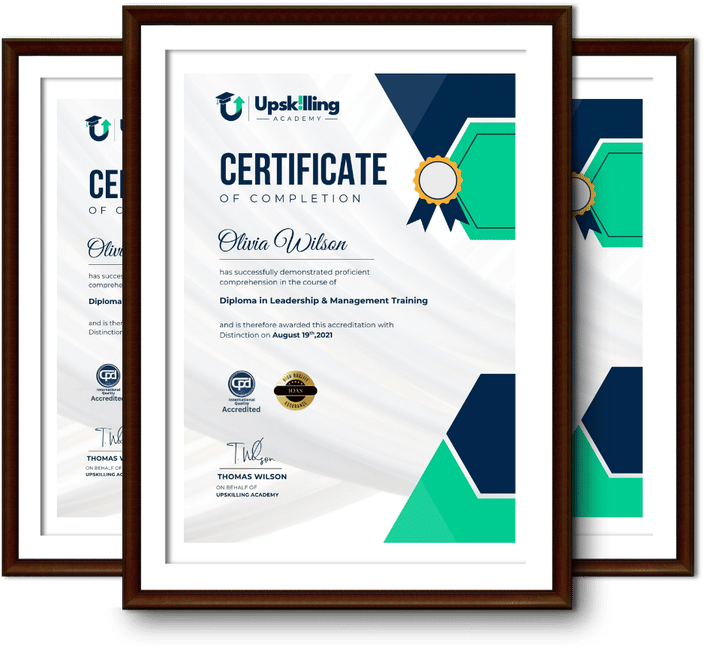
Framed Upskilling Academy certificates of completion

Course Reviews

Christine Ferguson

My experience with you was fantastic and easy to navigate. I'm looking forward to taking the course.
Jesse Harding

Provided highly informative and helpful responses, with quick and efficient replies.

Gary Schwartz

The course selection is broad, engaging, easy to follow, and offers a good challenge.

Bailey Burrows

Excellent course with user-friendly website navigation, making it easy to follow. I'm really enjoying the experience.

Benjamin Moreno

Great course with valuable information. Easy to follow, and I appreciated the flexibility to work at my own pace.

Quality Accreditation

  • incensu Registered Education Supplier
  • Association of Healthcare Trainers member
  • The CPD Group approved provider #790985
  • Disability Confident Committed

FAQ for Level 3 Certificate in Creating Interactive Presentations

How do I access my course?

Once you complete your purchase, you’ll receive access to your course through your Upskilling Academy account. You can log in and access your learning materials online at any time.

How long do I have access to the course?

Your access period depends on the course and the package you purchase. Please check the course details or your order information for the applicable access period.

Can I study at my own pace?

Yes. Upskilling Academy courses are designed to provide flexible online learning, allowing you to study at a pace that suits your schedule.

Will I receive a certificate?

Certificate availability varies by course. Where a certificate is included, you’ll receive information about the requirements and how to obtain it within the course or upon completion.

Are the courses suitable for beginners?

Many courses are suitable for beginners, while others may assume some previous knowledge. Please review the individual course description for information about the recommended level and prerequisites.