Upskilling Academy
Trusted by 3 million learners 24/7 online training Money back guarantee Fully accredited courses
Level 3 Certificate in Audio Typing Thumbnail Lifetime Access
Sale

Level 3 Certificate in Audio Typing

Audio Typing Overview In today’s fast-paced digital world, efficient and accurate audio typing skills are increasingly in demand…

Best Seller Limited Time Offer
Last Updated 13 Oct 2026 352 Enrolled English Flexible Schedule

Access to 1500+ Courses with free CPD Certificates for Only £59 Get Now

What you will learn

  • - Improve your typing speed and accuracy when transcribing audio files
  • - Develop keen listening skills for difficult or fast-spoken recordings
  • - Gain confidence using industry-standard transcription software
  • - Enhance your employability for roles requiring audio typing or transcription
  • - Learn formatting and editing techniques for professional transcripts
  • - Become comfortable handling various accents and challenging audio
  • - Save time and increase productivity when working with recorded content

Description

Audio Typing

Overview

In today’s fast-paced digital world, efficient and accurate audio typing skills are increasingly in demand across a range of industries. The Audio Typing course is designed to equip learners with the expertise to transcribe spoken words into written text quickly, accurately, and professionally. This comprehensive course covers the fundamentals of audio typing, industry-standard practices, specialised transcription tools, and hands-on exercises with a variety of real-world audio materials. Whether you are seeking to enhance your employment prospects or wish to improve existing administrative and secretarial abilities, this course will provide a thorough understanding of how to convert audio into professionally formatted documents.

Description

The Audio Typing course is structured to guide learners step by step through all aspects of audio transcription. Starting with the basics, students are introduced to the keyboarding skills essential for rapid typing, clarity, and formatting. You’ll learn touch-typing techniques, gain familiarity with transcription equipment and digital tools, and understand proper document layout and editing standards used in business, medical, legal, and creative settings.

The course features interactive lessons, practical audio files for transcription exercises, and guidance on handling different accents, terminology, and background noise. Advanced modules prepare you for specialised transcription—such as medical dictations or legal proceedings—if you wish to focus your career in these directions. Emphasis is placed on maintaining accuracy, confidentiality, and time management, key skills for any transcriptionist. Assessment throughout the course ensures you progress from beginner to competent professional.

  • Keyboard Mastery: Learn touch-typing and short-cut keys to increase speed and reduce errors.
  • Transcription Software: Explore industry-standard applications such as Express Scribe, Otter.ai, and more.
  • Audio Handling: Techniques for working with poor audio, interruptions, and overlapping speech.
  • Formatting and Proofing: Produce polished, formatted, and error-free transcripts ready for submission.
  • Industry Insights: Practical case studies in legal, medical, editorial, and media transcription.

Career Path

Audio typing is a vital skill set with broad applicability in many professional sectors. Successful completion of this course will allow you to pursue a variety of roles, each with opportunities for advancement and specialisation. Here’s a snapshot of potential career paths:

  • Audio Transcriptionist: Work freelance or for transcription agencies, transcribing interviews, meetings, and reports.
  • Legal or Medical Secretary: Specialise in transcription for law offices or healthcare providers, handling sensitive and technical dictations.
  • Administrative Assistant: Support executives by converting voice memos, meeting notes, and other spoken materials into documents.
  • Captioner or Subtitler: Create subtitles for video content, films, and educational media—a growing field with remote work opportunities.
  • Editorial Assistant: Assist journalists, authors, and academics in the preparation of written materials from recorded interviews and lectures.

Mastery in audio typing enhances your employability in both traditional office roles and modern remote or freelance positions. With technology bridging global communication, skilled transcriptionists are needed more than ever in creating accessible and accurate written records.

Who Is This Course For?

This course is ideal for a wide range of learners, from beginners to those seeking to formalise, certify, or improve existing transcription skills. You may find this course especially beneficial if you fall into one of the following categories:

  • Individuals aiming for jobs in administration, secretarial work, or office-based support roles.
  • Professionals seeking to upgrade their skills for better efficiency and accuracy in their current positions.
  • Freelancers and remote workers who wish to offer additional services such as transcription or captioning.
  • Students and graduates interested in careers in journalism, law, healthcare, or editorial sectors.
  • Anyone keen to develop a practical, marketable skill that can be monetised via platforms like Upwork or Rev.

No previous knowledge of transcription is necessary, and the course is crafted to be accessible for people of all backgrounds and technical abilities.

Requirements

To get the most from the Audio Typing course, you will need only a few essential items and a readiness to learn:

  • Basic Computer Literacy: Ability to navigate computer systems, use word processors (such as Microsoft Word or Google Docs), and operate simple software installations.
  • Equipment: Access to a computer or laptop with a reliable internet connection. Headphones are strongly recommended for clear audio playback; foot pedals may enhance workflow but are not required for beginners.
  • Software: Instructions and recommendations for free or trial versions of leading transcription applications will be provided. You do not need to purchase any software in advance.
  • Typing Proficiency: While prior touch-typing skills are helpful, the course includes modules to improve your typing speed and accuracy from any starting point.
  • Motivation and Time: Commitment to practising regularly with provided audio materials; the estimated course duration is 6-8 weeks (self-paced).

All necessary learning materials, including practice audio files, dictation scripts, templates, and assessment quizzes, are included within the course. Support will be provided throughout, ensuring you progress confidently toward becoming a skilled audio typist ready for today’s job market.

Course Curriculum

Course Content

Module 1 – Audio Transcription

  • Lesson 1 – Audio Transcription

Module 2 – The Transcription Technique

Module 3 – Transcribe Audio to Text

Module 4 – The Pros Turn Speech to Text So Quickly

Module 5 – Transcription Skills

Module 6 – Transcription Accuracy

Module 7 – Transcription Formatting

Module 8 – Common Homophones

Who should take the course

  • - People looking to improve their typing and listening skills
  • - Administrative professionals and secretaries
  • - Students needing to transcribe lectures or interviews
  • - Freelancers interested in transcription work
  • - Journalists and writers handling recorded content
  • - Medical or legal assistants typing dictations
  • - Anyone wanting to work as an audio typist

Certificate for Success at Every Step

  • No expiry date. You can keep and use the certificate forever.
  • Recognised across various UK industries.
  • Increases your chances of employability.
  • Boosts your professional credibility.
  • Shows you're up to date with industry knowledge.
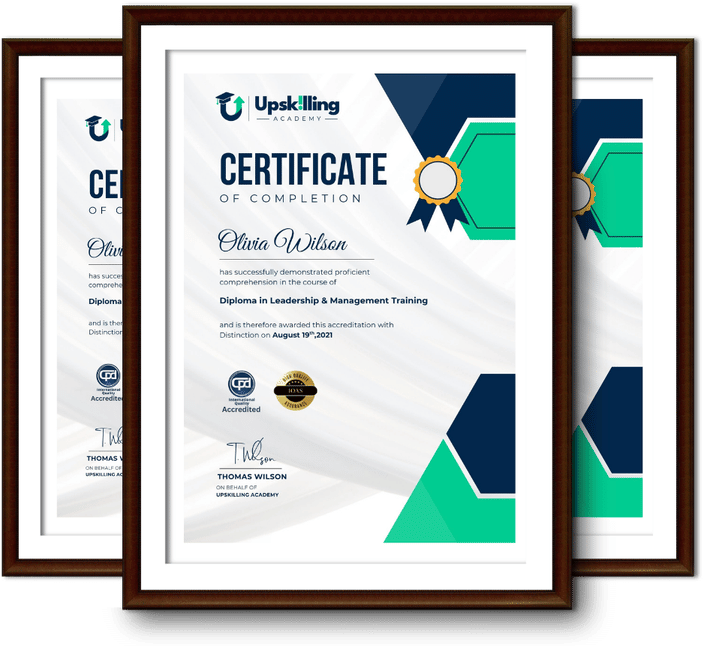
Framed Upskilling Academy certificates of completion

Course Reviews

Christine Ferguson

My experience with you was fantastic and easy to navigate. I'm looking forward to taking the course.
Jesse Harding

Provided highly informative and helpful responses, with quick and efficient replies.

Gary Schwartz

The course selection is broad, engaging, easy to follow, and offers a good challenge.

Bailey Burrows

Excellent course with user-friendly website navigation, making it easy to follow. I'm really enjoying the experience.

Benjamin Moreno

Great course with valuable information. Easy to follow, and I appreciated the flexibility to work at my own pace.

Quality Accreditation

  • incensu Registered Education Supplier
  • Association of Healthcare Trainers member
  • The CPD Group approved provider #790985
  • Disability Confident Committed

FAQ for Level 3 Certificate in Audio Typing

How do I access my course?

Once you complete your purchase, you’ll receive access to your course through your Upskilling Academy account. You can log in and access your learning materials online at any time.

How long do I have access to the course?

Your access period depends on the course and the package you purchase. Please check the course details or your order information for the applicable access period.

Can I study at my own pace?

Yes. Upskilling Academy courses are designed to provide flexible online learning, allowing you to study at a pace that suits your schedule.

Will I receive a certificate?

Certificate availability varies by course. Where a certificate is included, you’ll receive information about the requirements and how to obtain it within the course or upon completion.

Are the courses suitable for beginners?

Many courses are suitable for beginners, while others may assume some previous knowledge. Please review the individual course description for information about the recommended level and prerequisites.