Upskilling Academy
Trusted by 3 million learners 24/7 online training Money back guarantee Fully accredited courses
Level 3 Certificate in Analysing Your PC for Video Games Thumbnail Lifetime Access
Sale

Level 3 Certificate in Analysing Your PC for Video Games

Analysing Your PC for Video Games Overview In the rapidly evolving world of video games, understanding how your…

Best Seller Limited Time Offer
Last Updated 18 Sep 2026 352 Enrolled English Flexible Schedule

Access to 1500+ Courses with free CPD Certificates for Only £99 Get Now

What you will learn

  • - Understand how to assess your PC's hardware and software compatibility for modern video games
  • - Learn how to identify performance bottlenecks and optimize your system for smoother gameplay
  • - Gain skills in using diagnostic tools to benchmark and monitor your computer’s performance
  • - Save money by knowing when to upgrade components and when to tweak settings instead
  • - Improve your gaming experience by learning how to adjust video and graphics settings for your specific machine
  • - Troubleshoot common issues that affect game performance and stability
  • - Make informed decisions about future purchases or upgrades based on your gaming needs

Description

Analysing Your PC for Video Games

Overview

In the rapidly evolving world of video games, understanding how your personal computer supports modern gameplay is invaluable. Analysing Your PC for Video Games is a comprehensive course designed for both enthusiasts and beginners to evaluate, optimize, and upgrade their PCs for the ultimate gaming experience. With interactive lessons, hands-on exercises, and real-world examples, you’ll gain the confidence and skills required to ensure your computer can handle your favorite titles with optimal performance and stability. This course is perfect whether you want to troubleshoot issues, improve gaming performance, or simply get the most out of your hardware investment.

Description

This course dives deep into the art and science of preparing a PC for video game greatness. Starting from the basics of computer hardware – such as the CPU, GPU, RAM, storage, and motherboards – we build your knowledge step by step, analyzing how each component affects gaming performance. We’ll teach you how to benchmark your system, interpret performance metrics, and compare your PC specifications with popular game requirements.

You’ll gain hands-on experience with tools and utilities that monitor system health, measure frame rates, and identify potential bottlenecks. Learn to assess compatibility with modern DirectX and Vulkan titles, explore common graphical settings, and see how software like drivers and operating system updates influence performance.

Throughout the course, we provide practical advice for hardware upgrades and software tweaks, helping you stay ahead of the curve. By the end, you’ll be able to confidently match your PC’s capabilities to game requirements, fix performance issues, and expertly plan upgrades tailored for your favorite genres—including fast-paced shooters, immersive RPGs, and high-fidelity simulators.

  • Understanding PC hardware basics and their impact on gaming.
  • Benchmarking and analyzing performance using industry-standard tools.
  • Identifying and resolving bottlenecks in your gaming setup.
  • Tips for software optimization, drivers, and updates.
  • Guides to effective upgrades: GPUs, SSDs, RAM, and more.
  • Matching your PC specs to gaming genre requirements.
  • Real-world troubleshooting scenarios and solutions.

Career Path

While this course is primarily intended to help gamers maximize their PC experience, the skills learned here are highly transferable to several growing tech fields. Completion of this course lays the groundwork for more specialized roles and further study, including:

  • PC Hardware Technician: Troubleshoot, build, and upgrade gaming PCs professionally.
  • Game Tester / QA Analyst: Assess game performance on various hardware and identify technical issues.
  • Technical Support Specialist: Assist others with their PC gaming-related challenges in retail or service environments.
  • PC Build Consultant: Advise individuals or organizations on the correct hardware for gaming.
  • Content Creator / Tech Influencer: Create engaging content about PC gaming, hardware reviews, or performance tuning.

Additionally, this knowledge is a strong foundation for any technology-focused career involving computer systems, gaming, or consumer electronics.

Who Is This Course For?

  • Gamers: Anyone who enjoys PC gaming—casual, competitive, or professional—will benefit from a deeper understanding of hardware optimization.
  • PC Enthusiasts and Builders: Individuals interested in building or upgrading their own systems with gaming in mind.
  • Parents and Guardians: Those looking to purchase or set up PCs for their children’s gaming needs.
  • Technical Support Staff: Helpdesk, in-store, or remote workers who want to better understand gaming performance issues.
  • Educators: Teachers or instructors running classes or clubs involving gaming and computers.
  • Anyone new to PC hardware: No previous experience needed; all concepts explained clearly from the ground up.

Requirements

  • Basic Computer Literacy: Familiarity with using a Windows-based PC (e.g., installing programs, navigating folders).
  • Access to a PC: Ideally, students should have their own PC or laptop for hands-on activities. While the primary focus is on Windows, concepts are generally applicable across all systems.
  • Internet Connection: Required for downloading benchmarking tools, updates, and accessing supplemental resources.
  • No Prior Hardware Experience Needed: All key terms and concepts will be explained in detail throughout the course.
  • Keen Interest: A desire to learn and improve your knowledge about gaming technology and hardware.

Optional but helpful: If you wish to try advanced sections, having access to additional hardware (like graphics cards, SSDs, or RAM sticks) will allow you to directly experience the process of upgrading and testing components.

Start your journey today and unlock the true power of your PC for gaming!

Course Curriculum

Course Content

Module 1_ Assessing Your PC’s Gaming Potential

  • Lesson 1_ Assessing Your PC’s Gaming Potential

Module 2_ Unleashing Processor Performance for Gaming

Module 3_ Enhancing Gaming Performance Through Memory (RAM) Optimization

Module 4_ Unleashing Visual Excellence_ Graphics Card Optimization for Gaming

Module 5_ Elevating Gaming Efficiency_ Storage Solutions and Load Time Optimization

Module 6_ Achieving Visual Brilliance_ Monitor and Display Optimization for Gaming

Who should take the course

  • - PC gamers who want to understand if their computer can run new games
  • - Beginners interested in building or upgrading a gaming PC
  • - Parents looking to buy or upgrade a computer for their children’s gaming needs
  • - Streamers and content creators aiming to optimize their gaming setups
  • - Tech enthusiasts curious about hardware compatibility with current games
  • - Students or hobbyists learning the basics of computer hardware for gaming
  • - Anyone frustrated with games running poorly and wanting to know why

Certificate for Success at Every Step

  • No expiry date. You can keep and use the certificate forever.
  • Recognised across various UK industries.
  • Increases your chances of employability.
  • Boosts your professional credibility.
  • Shows you're up to date with industry knowledge.
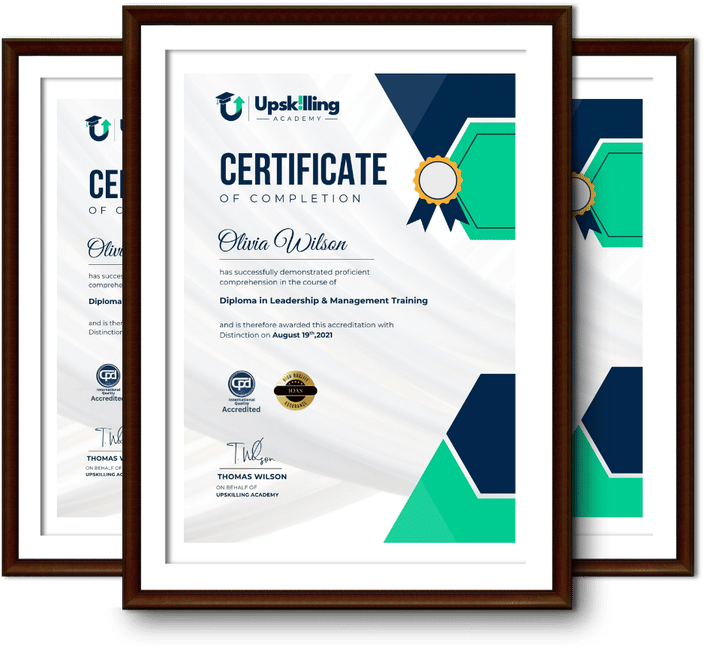
Framed Upskilling Academy certificates of completion

Course Reviews

Christine Ferguson

My experience with you was fantastic and easy to navigate. I'm looking forward to taking the course.

Jesse Harding

Provided highly informative and helpful responses, with quick and efficient replies.

Gary Schwartz

The course selection is broad, engaging, easy to follow, and offers a good challenge.

Bailey Burrows

Excellent course with user-friendly website navigation, making it easy to follow. I'm really enjoying the experience.

Benjamin Moreno

Great course with valuable information. Easy to follow, and I appreciated the flexibility to work at my own pace.

Quality Accreditation

  • incensu Registered Education Supplier
  • Association of Healthcare Trainers member
  • The CPD Group approved provider #790985
  • Disability Confident Committed

FAQ for Level 3 Certificate in Analysing Your PC for Video Games

How do I access my course?

Once you complete your purchase, you’ll receive access to your course through your Upskilling Academy account. You can log in and access your learning materials online at any time.

How long do I have access to the course?

Your access period depends on the course and the package you purchase. Please check the course details or your order information for the applicable access period.

Can I study at my own pace?

Yes. Upskilling Academy courses are designed to provide flexible online learning, allowing you to study at a pace that suits your schedule.

Will I receive a certificate?

Certificate availability varies by course. Where a certificate is included, you’ll receive information about the requirements and how to obtain it within the course or upon completion.

Are the courses suitable for beginners?

Many courses are suitable for beginners, while others may assume some previous knowledge. Please review the individual course description for information about the recommended level and prerequisites.