Upskilling Academy
Trusted by 3 million learners 24/7 online training Money back guarantee Fully accredited courses
Level 3 Certificate in 3D Modeling with Autodesk Maya Thumbnail Lifetime Access
Sale

Level 3 Certificate in 3D Modeling with Autodesk Maya

3D Modeling with Autodesk Maya Overview 3D Modeling with Autodesk Maya is a comprehensive course designed to introduce…

Best Seller Limited Time Offer
Last Updated 08 Oct 2026 352 Enrolled English Flexible Schedule

Access to 1500+ Courses with free CPD Certificates for Only £59 Get Now

What you will learn

  • - Gain hands-on experience with industry-standard 3D modeling software used in film, games, and animation
  • - Build a strong foundation in modeling techniques including polygonal, NURBS, and sculpting workflows
  • - Develop a professional portfolio of 3D assets and scenes to showcase your skills
  • - Learn efficient workflow tips to speed up your modeling process and improve productivity
  • - Understand essential texturing, lighting, and rendering techniques for realistic and stylized models
  • - Receive personalized feedback and guidance from experienced instructors
  • - Access project-based assignments that simulate real-world industry challenges

Description

3D Modeling with Autodesk Maya

Overview

3D Modeling with Autodesk Maya is a comprehensive course designed to introduce students to industry-standard techniques and workflows for creating detailed 3D models for games, film, animation, and product design. Spanning from the absolute basics to intermediate concepts, this course empowers learners to build complex, aesthetically pleasing, and production-ready 3D assets using Autodesk Maya—a cornerstone application in the world of digital content creation.

Whether you are interested in character modeling, environmental design, or technical visualization, this course will equip you with foundational and practical skills, fostering both creative expression and technical proficiency. Through step-by-step lessons, interactive assignments, and project-oriented outcomes, you will learn the entire process of 3D modeling, from conception and blocking out forms to adding intricate details and preparing models for animation or rendering.

Description

Autodesk Maya is recognized globally in film, gaming, and CGI industries as the premier tool for 3D modeling, animation, and visualization. The 3D Modeling with Autodesk Maya course meticulously guides you through the Maya interface, familiarizes you with essential tools, and steadily builds your confidence to tackle increasingly challenging modeling projects.

By the end of this course, you will:

  • Navigate and customize the Maya interface to suit your workflow.
  • Understand 3D space, object types, and coordinate systems.
  • Utilize main modeling tools such as Extrude, Bevel, Bridge, and more.
  • Create clean and efficient geometry with proper edge flow and topology.
  • Apply modifiers and deformers for advanced shape manipulation.
  • Model both hard-surface (mechanical) and organic (character) forms.
  • Use reference images and blueprints to ensure accuracy and believability.
  • Organize models for texturing, rigging, and animation pipelines.
  • Export and prepare models for other software and engines (such as Unreal or Unity).

Throughout the modules, you’ll work on a variety of hands-on projects including simple props (like furniture), architectural elements, stylized game assets, and a basic humanoid character. Each project is designed to apply core concepts and deepen your understanding of industry workflows. Regular quizzes and peer or instructor feedback ensure you remain on target, while supplementary resources—including video tutorials and community forums—allow you to deepen your knowledge beyond the syllabus.

Career Path

The competency and portfolio developed in this course open a variety of doors within the creative and technology industries. The demand for skilled Maya modelers continues to grow as 3D technologies expand into new industries and immersive experiences. Upon successful completion, you can pursue roles such as:

  • 3D Modeler: Create props, environments, vehicles, and characters for games, films, and commercials.
  • Character Artist: Specialize in designing and sculpting characters for animation, cinema, or virtual production.
  • Environment Artist: Develop immersive worlds for interactive applications or feature films.
  • Visualization Specialist: Employ Maya modeling for architectural, product, or scientific visualization.
  • Technical Artist: Bridge the gap between art and programming in multidisciplinary studio settings.
  • Freelancer/Entrepreneur: Offer modeling and asset creation services to clients globally or develop your own original content.

Employers in fields ranging from game development studios and VFX houses to advertising agencies and architectural firms highly value 3D modeling expertise with Maya. Completing this course will give you a significant competitive edge and the foundational skills necessary for specialization and advanced study.

Who Is This Course For?

This course is thoughtfully crafted to accommodate a wide range of learners. You may find this course ideal if you are:

  • Aspiring 3D artists eager to break into the animation, film, or video game industries.
  • Traditional artists interested in expanding their skillset to include digital modeling.
  • Game designers wanting to create unique assets and prototypes for interactive worlds.
  • Students or professionals exploring careers in visual effects (VFX) or CGI production.
  • Architects or industrial designers transitioning into digital visualization and design tools.
  • Creators and hobbyists with a passion for art, technology, and storytelling.

No prior experience in 3D modeling or Maya is required—this course starts with the fundamentals and progresses at an accessible pace. However, more experienced users will find the best practices, workflows, and project-driven learning valuable for refining skills and building a professional portfolio.

Requirements

To ensure a smooth and productive learning experience, please take note of the following requirements before enrolling:

  • Computer Hardware: A moderately recent Windows or macOS computer. Minimum 8GB RAM (16GB recommended), multi-core processor, and dedicated graphics card.
  • Autodesk Maya: Access to Autodesk Maya (Student, Trial, or Licensed version). Installation instructions and guidance will be provided in the first module.
  • Internet Connection: A reliable internet connection for streaming video content, downloading project files, and participating in online discussions.
  • Basic Computer Literacy: Familiarity with desktop navigation, file management, and using software applications.
  • Optional: Drawing tablet (for certain advanced assignments), but standard mouse and keyboard are sufficient for core lessons.
  • An eagerness to learn and a willingness to practice regularly—proficiency in 3D modeling grows with consistent, hands-on engagement.

All essential resources—including reference images, assignment briefs, and supplementary plugins—will be provided throughout the course. Support is available through forums and periodic live Q&A sessions. By the end of the program, you’ll not only know how to harness the full capabilities of Autodesk Maya but also be able to showcase your creations in a professional 3D modeling portfolio.

Course Curriculum

Course Content

Module-1_-Introduction-to-3D-Modeling-and-Autodesk-Maya

  • Lesson-1_-Introduction-to-3D-Modeling-and-Autodesk-Maya

Module-2_-Advanced-Modeling-Techniques

Module-3_-Lighting-and-Texturing

Module-4_-Character-Animation

Module-5_-Dynamics-and-Simulations

Who should take the course

  • - Beginners interested in learning 3D modeling
  • - Students pursuing animation, gaming, or visual effects
  • - Graphic designers looking to expand into 3D design
  • - Hobbyists wanting to create 3D art or characters
  • - Professionals seeking to update their Maya skills
  • - Indie game developers building 3D assets
  • - Artists exploring new digital mediums

Certificate for Success at Every Step

  • No expiry date. You can keep and use the certificate forever.
  • Recognised across various UK industries.
  • Increases your chances of employability.
  • Boosts your professional credibility.
  • Shows you're up to date with industry knowledge.
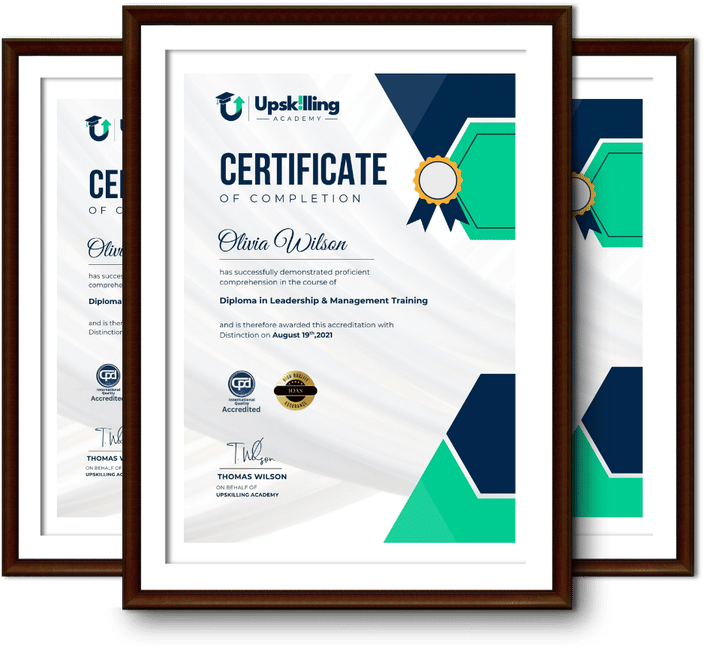
Framed Upskilling Academy certificates of completion

Course Reviews

Christine Ferguson

My experience with you was fantastic and easy to navigate. I'm looking forward to taking the course.

Jesse Harding

Provided highly informative and helpful responses, with quick and efficient replies.

Gary Schwartz

The course selection is broad, engaging, easy to follow, and offers a good challenge.

Bailey Burrows

Excellent course with user-friendly website navigation, making it easy to follow. I'm really enjoying the experience.

Benjamin Moreno

Great course with valuable information. Easy to follow, and I appreciated the flexibility to work at my own pace.

Quality Accreditation

  • incensu Registered Education Supplier
  • Association of Healthcare Trainers member
  • The CPD Group approved provider #790985
  • Disability Confident Committed

FAQ for Level 3 Certificate in 3D Modeling with Autodesk Maya

How do I access my course?

Once you complete your purchase, you’ll receive access to your course through your Upskilling Academy account. You can log in and access your learning materials online at any time.

How long do I have access to the course?

Your access period depends on the course and the package you purchase. Please check the course details or your order information for the applicable access period.

Can I study at my own pace?

Yes. Upskilling Academy courses are designed to provide flexible online learning, allowing you to study at a pace that suits your schedule.

Will I receive a certificate?

Certificate availability varies by course. Where a certificate is included, you’ll receive information about the requirements and how to obtain it within the course or upon completion.

Are the courses suitable for beginners?

Many courses are suitable for beginners, while others may assume some previous knowledge. Please review the individual course description for information about the recommended level and prerequisites.